facebook-ad-library-api-limitations
Facebook Ad Library API: How to Use It, What It Shows, and Its Real Limitations
By
Kinnari Ashar
Facebook Ad Library API is Meta’s official tool to explore public ads from Facebook and Instagram through code rather than clicks. If you have ever tried researching ads manually, you already know how quickly it becomes frustrating. Searching one page at a time, switching regions, and tracking active campaigns does not scale well.
That is why people start looking at the API because they want speed, structure, and a way to study competitors, products, or markets without spending hours inside the Ad Library interface.
If you are a marketer weighing research options, a dropshipper deciding between manual checks and tools, or an agency exploring automation for ad intelligence, this guide is for you. You will not just learn what the API is. You will see how it actually works in real research scenarios and where it’s not enough.
Key Takeaways
Facebook Ad Library API provides automated access to public Facebook and Instagram ads.
Using it requires developer setup, permission approvals, and regular access token management.
The API returns raw ad records, not insights, which means creatives must be reviewed manually.
Performance data such as sales, profit, and exact spend is not available.
For most e-commerce users, the API is useful for learning and observation, but difficult to rely on for fast decisions long term.
What Is the Facebook (Meta) Ad Library API?
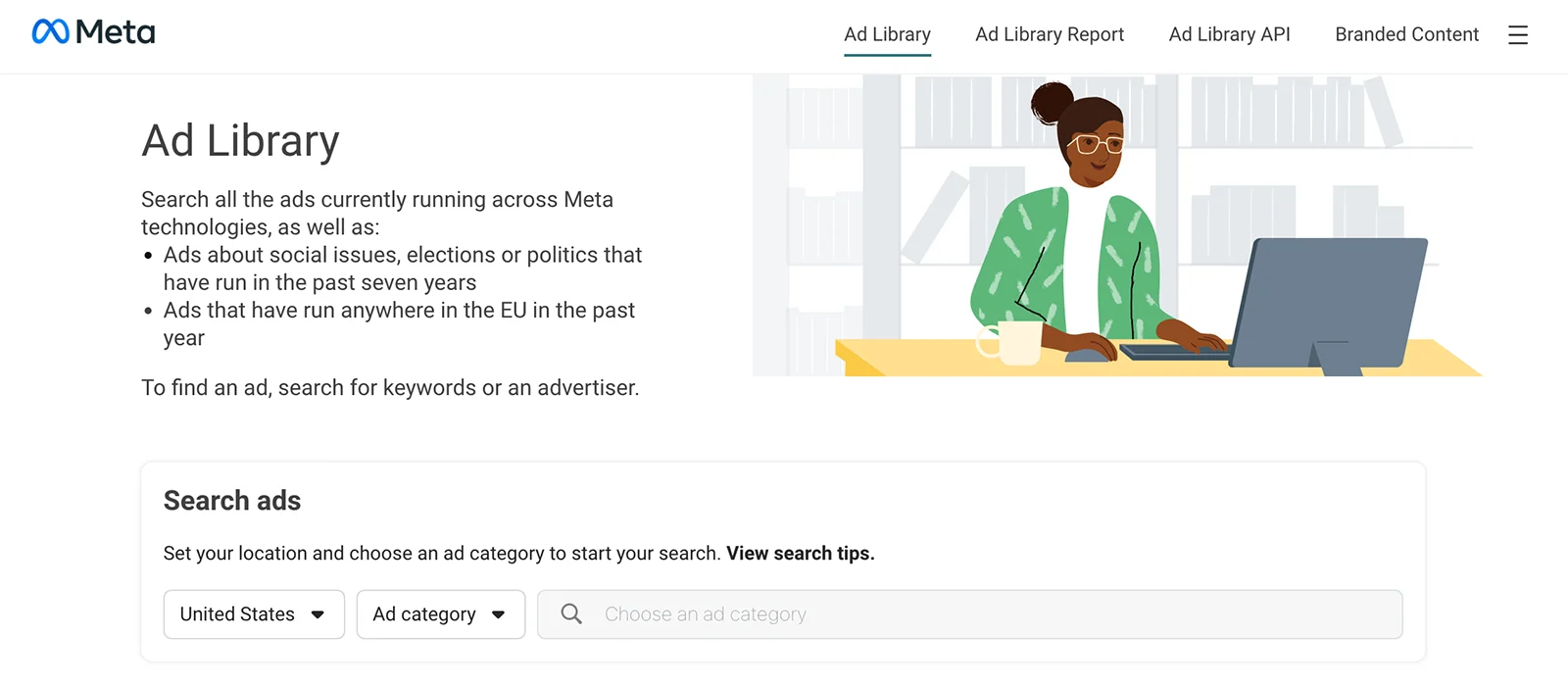
Meta offers a public Ad Library that allows anyone to search for ads running on Facebook and Instagram. It shows ads that are currently active or were shown in the past, and is accessed through a web interface meant for manual use.
The Facebook Meta Ad Library API serves as the automated counterpart to that library. You don’t have to browse the ads page by page anymore, as it allows public ad data to be retrieved in a structured format, making large-scale analysis possible without repetitive manual searches.
Access to this is also handled through Meta Platforms’ Graph API, which is why the Ad Library API needs developer permissions rather than a simple login flow.
What Data Does the Facebook Ad Library API Provide?
The Facebook Ad Library API has the same public ad information that Meta makes available for transparency. It focuses on showing what ads look like, who is behind them, and where they run.
When it comes to ad creatives, the API lets you review the exact messaging and visuals used in campaigns. This is the reason why most people use it for creative research.
It includes:
Images and videos used in the ad
Primary ad copy, headlines, and descriptions
Call-to-action buttons are shown to users
Snapshot links that open the ad in its original format
Alongside the creatives, the API also reveals who ran the ad and how it was delivered. This helps place each ad in context. It shows:
Facebook Page running the ad
Countries where the ad appeared
The start date and end date, if delivery has stopped
Whether the ad is currently active or inactive
Budget and reach data are included, but only at a high level.
Spend shown as estimated ranges
Impression ranges indicating approximate reach
Meta Platforms show this information in ranges to avoid exposing exact budgets or making campaign performance easy to reverse engineer.
What the Facebook Ad Library API Does NOT Show?
Anything that happens after a user clicks an ad is not included, and performance metrics remain private to the advertiser.
Specifically, the Facebook Ad Library API does not provide:
Conversion data
Sales or revenue figures
ROAS or CPA metrics
Audience targeting details
Any signal that confirms whether an ad is profitable
These omissions are done deliberately. Meta Platforms limits access to performance and targeting data to prevent advertisers from having their strategies or results exposed.
Who the Facebook Ad Library API Is Actually Suitable For?
The Ad Library API is meant for pulling ad records in bulk. Nothing more than that.
Because of that, it fits teams that already operate at scale. Large brands and agencies use it to monitor advertising activity across markets, categories, or competitors. The API feeds internal dashboards where trends, volume changes, or creative activity are tracked over time rather than evaluated ad by ad.
It is also useful for large-scale dropshippers who run multiple stores, markets, or product lines and have the technical setup to process raw data. In these cases, the API supports market monitoring and creative analysis, not quick validation.
But it is not very useful for most advisers. For example, if you are running a small store, testing products, or trying to decide whether an ad is worth copying, the API does not help much. It does not show targeting. It does not show conversions. It does not tell you whether an ad made money.
How to Get Access to the Facebook Ad Library API?
Step 1: Create a Meta Developer Account
Start by logging in to Facebook using a real personal profile. Anonymous or shared accounts cannot be used for developer access, even for basic testing.
Once logged in, register as a developer through Meta’s developer portal. This links your personal Facebook account to developer privileges and allows you to request API access later.
For ads related to social issues, elections, or politics, additional verification is required. Meta asks you to confirm your identity through Facebook.com/ID. This process involves submitting personal information and can take several days before approval is completed.
This requirement is intentional. Meta Platforms treats identity verification as an essential part for transparency and misuse prevention.
Step 2: Create a Developer App
After registering as a Meta developer, go to the developer dashboard and choose the option to create a new app.
When prompted, select an app type that supports Marketing or business-related access. Complete the basic setup by naming the app and assigning it to your developer account.
Once the app is created, it becomes the source through which all Ad Library API requests are made. Every permission request, access token, and usage limit is tied to this app.
All Ad Library API requests are made through this app. It is not optional, as without it, there is no way to request ad data, even if you already have developer access.
Step 3: Request Permission to Read Ads
With the app in place, you now request permission that allows access to Ad Library data. This permission controls whether your app can read ads at all.
Meta may review your request or ask for verification.
Step 4: Generate an Access Token
An access token is required before you can make any request to the Ad Library API, as Meta uses it to verify who is sending the request and whether that request is allowed.
You create the token from the Graph API Explorer by selecting your developer app. A basic user access token is enough, as long as the Facebook account tied to it has completed identity verification for Ad Library access.
Every API request depends on this token. When the token expires, requests fail until you have a new one generated. Here, many first-time users get stuck because they don’t know if the token has expired.
With a valid token in place, you can test access by running a simple Ad Library query in the Graph API Explorer to confirm that data is returned.
How to Use the Facebook Ad Library API?
Step 1: Define Your Research Goal
Before you make any API request, write down one clear question you want the data to answer. The API will only return what you explicitly ask for.
Start by choosing one focus:
a product keyword you want to research
a specific advertiser or Facebook Page
ads shown in a single country
active ads or ads that have already stopped
Do not combine multiple goals at this stage.
If you are researching a product, enter keywords that appear in ad text. If you are analyzing a competitor, restrict results to that advertiser’s page. When geography matters, limit results to one country. Decide upfront whether you want active ads, historical ads, or both.
Do not skip this, as skipping this will result in the API returning with large sets of unrelated ads. The data may be correct, but it will not be useful for you.
Step 2: Request the Ad Data
After deciding what you want to look for, you send a request to Facebook asking for ads.
This is done through the Facebook Graph API. You include your access token and the filters you chose earlier, such as keywords, countries, ad status, or a specific advertiser. For testing, many people use the Graph API Explorer. For regular use, this usually happens through code.
Facebook processes the request and checks whether your access token and permissions are valid. If they are, it sends back the results.
What you get is not a page you can browse. The response is raw data. It lists ads and related details, but there are no visuals, summaries, or rankings. Everything you want to sort, compare, or review has to be done after this step.
Step 3: Review the Returned Data
Each ad record includes a small set of fields you can reference. These typically include a creative preview link, the Facebook Page running the ad, and spend and impression ranges. This information helps you narrow down which ads deserve attention, but it does not show the creative itself.
To view the actual ad, you need to open the preview link manually. This is the only way to see the images, videos, and messaging in their original format.
The work here is simple. Look through the returned ads, pick the ones that match your research goal, and open only those creatives that matter. Meta Platforms provides the data, but reviewing and interpreting ads still requires manual judgment.
Step 4: Collect All Results (Pagination)
When a search result is high in volume, API splits the result into multiple batches. This is called pagination and is done to manage the load.
After you receive the first response, check if more results are available, and if yes, then you need to request again to get the next set of ads. This needs to be done until no result remains.
This is a common mistake made. Make sure to keep requesting until API stops returning additional batches. If you don’t get all the results, conclusions can be inaccurate, especially if the volume is high.
Step 5: Analyze Ads Manually
After collecting all ads, export or list them in a format you can work with, such as a spreadsheet or table. This makes comparison possible.
First, group the ads by advertiser or by product. Put ads from the same Facebook Page together, or cluster ads promoting the same type of product. This reduces clutter and helps patterns surface faster.
Next, open each ad’s preview link and review the creatives one by one. While doing this, note three things:
creatives that repeat with small changes
ads that have been running for longer periods
messaging or angles that show up across multiple ads
Now, compare ads within the same group. Look at how the messaging evolves, which formats are reused, and whether certain ideas keep appearing. These repetitions matter more than any single ad.
This step is the most time-consuming because nothing is automated. Every pattern has to be spotted by reviewing ads manually.
Facebook Ad Library API Use Cases for Marketers
Competitor Ad Research
The Facebook Ad Library API is often used to track what competitors are advertising without relying on manual searches. By pulling ads tied to a specific Facebook Page, you can review all active and past campaigns in one place.
This is helpful in understanding how the brands present offers, what type of creatives they are using, or which message angles appear repeatedly. It’s easier this way, as you can view ads side by side and spot the changes and see how frequently creatives change.
What this data does not show is performance. The API does not reveal conversions, revenue, or profitability. For that, you have to do the manual work.
Market and Niche Research
For market-level research, marketers use the Facebook Ad Library API to understand where advertising activity exists and how intense it is. The goal is not to find winning products, but to see how crowded or active a space looks.
Common ways the API is used for this include:
Check which industries have a high number of active ads
See when multiple advertisers start promoting similar products
Compare how much advertising is happening in one country vs another
Political and Transparency Research
Outside of e-commerce and product research, the Facebook Ad Library API is widely used for monitoring political and issue-based advertising. Here, the goal is record keeping and comparison, not optimization.
Track political campaigns and see which ads are being run by specific parties or organizations
Review how messaging changes over time during elections or major events
Compare how social or political issues are advertised across different countries
The API makes it possible to study what is being communicated and where, but it does not provide insight into reach effectiveness or public response.
Limitations of the Facebook Ad Library API
It does give access to public ad data, but it has its own limitations, such as it is not built for speed, scale, or continuous monitoring. These limits become clear once you start running regular or large queries.
Rate limits - Requests are capped. When you query too often or pull large datasets, responses slow down or fail.
Performance overhead - Every request goes through authentication and processing. Repeating queries adds noticeable delay.
Inefficient data retrieval - Some requests return more data than needed, while others require multiple calls to complete a single view.
No real-time updates - Ads do not appear instantly. You need to keep checking for new data instead of receiving updates automatically, which is a really time taking task.
Ongoing maintenance - Tokens expire, permissions change, and workflows break without warning.
WinningHunter: Best Alternative for Facebook Ad Library API
For many marketers, the Facebook Ad Library API solves the access problem but introduces a different kind of friction. Setup takes time, permissions need maintenance, and the output is raw data that still needs interpretation. For teams without technical workflows, this often slows things down instead of helping.
That is why many marketers choose tools over direct API usage. Tools remove the setup and present the data in a form that can be reviewed immediately, without dealing with tokens, requests, or pagination.
WinningHunter fits into this workflow when the goal is decision-making rather than data collection. It uses public ad data without requiring API access and presents it through filters and dashboards that are ready to use. Instead of working through ad records one by one, you can narrow down what matters.
It also adds context that is missing in the Ad Library API, such as ad scoring, spend signals, and estimates around store or product activity. This does not replace testing, but it helps reduce the time spent manually reviewing ads that are unlikely to be relevant.
FAQs
Is the Facebook Ad Library API free to use?
No, Meta does not charge money for using the Facebook Ad Library API. You can access public ad data without paying a fee. What you spend instead is time. You need a developer account, approvals, and ongoing access token management. When tokens expire or permissions fail, you have to fix it yourself. For many users, that ongoing overhead ends up being the real cost.
How hard is it to use for beginners?
For most beginners, it feels difficult to learn quickly. The API does not guide you or explain results. You work with raw responses and error messages. People often get confused about permissions, incomplete results, or token issues without realizing why. If you are not used to APIs or working with structured data, progress tends to be slow and frustrating rather than educational.
Can the Facebook Ad Library API show winning ads?
No. It does not show results. You cannot see sales, conversions, profit, or return on ad spend. An ad being visible for a long time does not mean it worked. It only means it was run. The API is about transparency, and not performance, and it does not help you decide which ads are actually successful.
When should I stop using the API and switch to a tool?
You should switch when using the API starts delaying decisions. If most of your time goes into pulling data, cleaning it, and reviewing ads one by one, the API is no longer helping. This usually happens when you need speed, prioritization, or validation rather than raw access to records.


We already know what works before you even have the chance to blink!
© 2024 WinningHunter.com