facebook-instant-experience
Facebook Instant Experience
By
Kinnari Ashar

Click numbers can look healthy on the surface, yet the moment someone taps your ad, the experience starts to fall apart. Pages take a second too long to load, the message feels disconnected, and attention slips away before anything meaningful happens.
That gap between the ad and the website often decides whether interest turns into action.
Facebook Instant Experience fills that space. It opens instantly within the app, giving you a fast, full-screen environment to introduce the product before sending anyone further.
This guide breaks down how it works, when it performs best, how brands actually use it, and how to structure it so it moves people forward instead of losing them.
Most advertisers overlook this step. The ones who rethink it see a very different outcome.
What Facebook Instant Experience Really Is?
Facebook Instant Experience ( formerly canvas ) is a full-screen, mobile-only environment that opens the moment someone taps your ad inside Meta Platforms apps. There is no browser involved, no external redirect, and no waiting for a traditional page to load. The experience appears instantly within the platform, which keeps attention locked in from the first second.
It behaves like a compact, controlled mini site. You decide how the story unfolds using video, images, product highlights, and call-to-action elements, all within a single flow that you fully control.
Speed plays a bigger role here than most advertisers realise. Meta’s own instant content formats have been shown to load up to 10 times faster than standard mobile web pages, which directly impacts how long people stay engaged and how much they actually consume before deciding what to do next.
Clarity matters just as much. This format does not replace your landing page, and it is not built to close every conversion on its own. It also does not fit every campaign objective.
The smarter way to use it is as a pre-selling layer. It shapes understanding, builds intent, and filters out weak clicks before traffic ever reaches your site.
How to Create a Facebook Instant Experience?
Creating an Instant Experience happens at the ad level inside Meta Ads Manager. The process is straightforward once you know where each step sits.
1. Go to Ads Manager
Open Ads Manager and click Create to start a new campaign.
2. Choose your campaign objective
Select an objective that supports Instant Experience, such as awareness, traffic, engagement, or sales.
3. Move to the ad level
After setting campaign and ad set details, go to the ad section where the creative is added.
4. Select Instant Experience
Under ad creative, choose a format that supports Instant Experience and enable it as your destination.
5. Click “Create Instant Experience.”
This opens the builder where you design the full-screen experience.
6. Choose a template or start from scratch
Pick a template if you want a ready structure, or start blank for full control.
7. Add components
Build your experience using:
Video
Images
Text blocks
Buttons or call-to-action elements
8. Arrange the flow
Drag and reorder sections to control how users move through the experience. The sequence should follow a clear progression.
9. Preview on mobile
Use the preview option to check how it appears on mobile. This step is critical since the format is mobile only.
10. Publish and attach to your ad
Once finalized, publish the Instant Experience and link it to your ad creative.
What Happens Inside an Instant Experience?
What you place inside an Instant Experience directly shapes how far people go. This format gives you control over sequence, pacing, and attention. Every element either moves the user forward or gives them a reason to leave.
1. Opening Screen
The first screen determines whether anything else gets seen. There is no warm-up. Users make snap judgments based on clarity and visual cues. Even a one-second delay in load time can reduce conversions by 7% to 10%, which is exactly the friction this format removes.
A strong opening shows the product in action or highlights a clear outcome within seconds. If someone has to figure out what they are looking at, you have already lost them. Generic brand visuals tend to underperform here because they delay understanding.
A simple rule helps. If the first frame cannot answer what this is and why it matters, it needs to change.
2. Scroll Sections
Once scrolling begins, attention is highest near the top and fades quickly. That makes sequencing critical.
Each section should introduce something new. Start with the product, then show how it fits into a real use case, then make the benefit obvious. When sections repeat the same idea in different formats, users stop progressing.
Another common mistake is stacking too much content early. When everything appears at once, nothing stands out. A cleaner flow with fewer elements per screen holds attention longer and guides movement more effectively.
3. Interaction Elements
Interactive components reveal interest, but only when placed with intent.
Product grids work well when you are offering multiple options, especially for catalog-based brands. They give users control without forcing them to leave.
Buttons should not be saved for the end. A portion of users are ready to act early, and a mid-scroll CTA often captures that group.
Lead forms need careful use. If the ask feels heavy or unexpected, people drop off immediately. They perform better when the offer is simple and clearly explained before the form appears.
4. Exit Points
Every user reaches a decision point. They either click through, interact with a product, or leave.
The key insight is that most users will not reach the final section. If your only CTA sits at the end, you rely on behavior that rarely happens. Placing clear action points earlier increases the chances of capturing intent while it is still high.
Templates: What They Actually Do in Campaigns?
When you build an Instant Experience inside Meta Platforms, you can either start from scratch or choose a template. Nothing forces you to use one.
Templates exist to give you a ready-made structure. They are useful when you want a quick setup or when you are unsure how to organize the flow. Each template is designed around a specific type of user behavior.
Storefront
The Storefront template is used when multiple products need to be explored within a single experience. It follows a simple flow where the user first sees a strong visual, then moves into categories, and finally reaches a product grid that allows browsing without leaving the screen.
This format works best when the user has not made a decision yet and needs options. It brings variety upfront and lets attention move toward specific products naturally.
It tends to fall short when the product needs explanation. A grid of items without context often leads to quick scrolling, with very few users taking action.
Lookbook
The Lookbook template is used when the product needs to be seen in context.
It presents content as full-screen visuals that users scroll through one by one, with minimal text and product links layered into the experience. Instead of showing multiple items at once, it focuses attention on a single scene at a time, often placing the product within a real-life setting.
This works when visual context drives interest. Fashion, home decor, and lifestyle products benefit from this because users can see how the product looks, feels, or fits into a situation before deciding to click.
It does not work well when the product depends on a detailed explanation or comparison. Since the format prioritizes imagery over information, users may scroll through visuals without fully understanding why the product is worth buying.
Customer Acquisition
The Customer Acquisition template is used when the goal is to get the user to take a single action, such as signing up, downloading, or clicking through. It works like a mobile landing page inside Meta Platforms apps, combining content and call to action in one continuous flow.
The structure follows a simple sequence. It introduces the context, builds value with supporting visuals or text, and then pushes toward a clear call to action. This is designed to reduce friction and move users directly toward a decision.
It performs best when the action is straightforward and does not require long evaluation. Campaigns focused on lead generation, app installs, or quick signups tend to benefit the most.
It struggles when the user needs comparison or deeper understanding. If too much explanation is required, the format feels compressed, and users drop off before completing the action.
Storytelling
The Storytelling template is used when the product or offer cannot be understood in a single glance and needs to be explained step by step.
It follows a sequential format where each section builds on the previous one, using a mix of video, images, and short text to gradually introduce the product, the problem, and the outcome. This approach is commonly used to show how something works or why it matters before asking for action.
This format works when the message needs to be built up. Showing everything at once creates confusion, while a structured sequence helps users process information in order.
Performance drops when the sequence feels slow or repetitive. If the value is not clear within the first few sections, users exit before reaching the main point.
When Instant Experience Works?
Instant Experience performs best when the user is not ready to act immediately and needs a bit more context before making a decision. It gives you space to shape understanding before sending traffic to your website.
Product discovery campaigns: Works well with cold audiences who have never seen your product before. You can introduce what it is, how it works, and why it matters before asking for a click.
Visually driven products: Ideal for categories like fashion, beauty, and home decor where appearance influences the decision. Full-screen visuals and video help users understand the product faster than text.
Multi-product browsing: Useful when you are selling collections or bundles. Instead of sending users to a category page, you can present multiple products in a structured, scrollable format.
Pre-sell before website: Best for products that need explanation. You can build context, show use cases, and prepare the user before they land on the product page.
Where Instant Experience Breaks Down?
Instant Experience works well for introducing and guiding, but it struggles when the decision requires deeper evaluation or stronger trust signals.
High ticket offers: Expensive products usually involve hesitation. Buyers want reassurance before moving forward. They look for detailed reviews, comparisons, return policies, and brand credibility.
Instant Experience moves quickly and keeps content lightweight, which limits how much trust you can build within it. When users need that depth, they delay action or leave.
Service-based businesses: Services are harder to understand quickly. People want to know how the process works, what results to expect, and whether others have had success. This often involves testimonials, case studies, and detailed explanations.
The format does not support that level of depth comfortably, so users reach a point where they need more information than the experience provides.
Direct conversion campaigns: Clicks inside Facebook or Instagram usually come from a browsing mindset. The user has shown interest, but intent is still forming. Instant Experience helps shape that interest, but it does not guarantee readiness to act. When campaigns push for immediate conversion without building enough context, users drop off before completing the action.
Across these cases, the limitation comes from the same place. The format is built for speed and controlled flow, while some decisions require time, detail, and reassurance.
How to Structure an Instant Experience That Converts?
Most Instant Experiences lose people in the first few seconds, not at the end. The structure decides that.
Start with something that makes sense immediately. The first screen should show the product being used or the result it creates. If someone has to pause and think about what they’re seeing, they’re already gone.
As the scroll begins, don’t try to explain everything at once. Let the content unfold. Show the product, then place it in a real situation, then make the benefit obvious. Each section should answer the question the user naturally has next. When the same point shows up again in a different format, people stop paying attention.
Action points need to appear earlier than most people expect. Some users are ready halfway through. If the only button sits at the bottom, that intent is lost. A second CTA at the end still matters, but it should not be the first time you ask for action.
Keep the sequence tight. Product, then context, then benefit, then action. When this order is clear, people move without hesitation. When it jumps around, they leave without trying to figure it out.
A few mistakes show up again and again. Treating the experience like a long landing page slows everything down. Filling the first screen with too many elements weakens the message. Waiting until the end to introduce action assumes users will stay, which they usually don’t.
Real Brands Using Instant Experience
Looking at big brands helps, but the real value comes from how they structure these experiences. The pattern is consistent. Each one controls what the user sees first, how the story unfolds, and when action is introduced.
Nike
Nike uses Instant Experience heavily during product launches. The flow usually opens with a strong video that shows the product in motion, not as a static item. That first screen creates context immediately.
As users scroll, the focus shifts to specific product details and variations, often broken into clean sections rather than one dense block. Each section highlights a different angle, such as design, usage, or performance.
Links to product pages appear early, not just at the end. This allows users who are already interested to move forward without going through the full experience.
What stands out: They lead with movement and context, then narrow down into product details instead of doing it the other way around.
Sephora
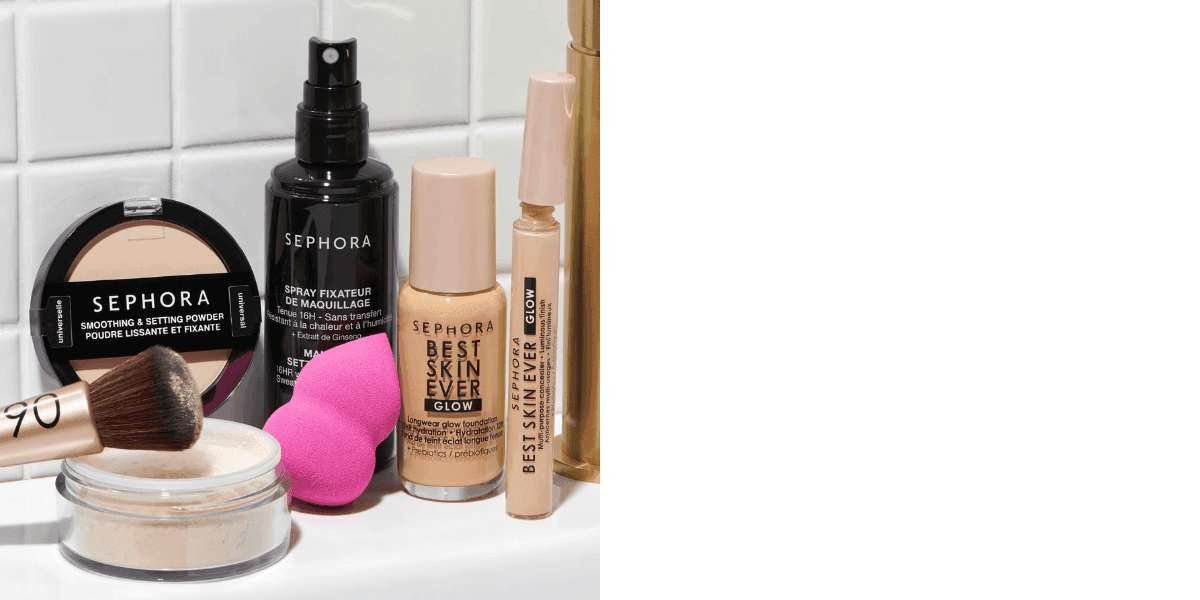
Sephora structures its experiences around discovery. Instead of pushing one product, it presents multiple items in a guided flow that feels similar to browsing in a store.
The content often uses tutorial-style visuals. Products are shown in use, step by step, which answers questions without heavy text. As users move forward, more products are introduced, but in a controlled sequence rather than a cluttered grid.
What stands out: They combine education and browsing. Users understand how to use the product while also seeing multiple options.
Airbnb
Airbnb uses Instant Experience for storytelling around destinations. The structure is slower and more immersive compared to e-commerce brands.
It starts with full-screen visuals that set the scene, followed by a narrative progression that builds interest in the location. Each section adds context, such as activities, atmosphere, or unique features of the stay.
Action comes later, once the user is already interested in the destination.
What stands out: They delay the action and focus on building desire first. The experience feels like a journey, not a product page.
Zara

Zara leans into a lookbook-style presentation. The experience is driven almost entirely by visuals, with minimal text.
Products are shown in styled outfits, one screen at a time, which keeps attention focused. Instead of explaining, the visuals do the work. Product links are layered into the experience without breaking the flow.
What stands out: They remove friction by keeping everything visual and fast. Users scroll through outfits and move to products without needing extra explanation.
Turning Insight Into Execution
Instant Experience works best as a bridge between curiosity and intent. The difference comes down to how well you shape that moment before sending traffic to your site.
You can learn faster by studying what already works. With WinningHunter, you can track competitors using Instant Experience, break down their creatives, hooks, and product choices, and see how they guide users from ad to action. Patterns start to appear. Certain product types lean heavily on visual storytelling. Others rely on early CTAs or tighter flows.
That kind of visibility shortens the testing cycle. Instead of guessing what structure might work, you build from what is already performing and refine it for your own campaigns.
If you want better results from Instant Experience, focus less on adding more content and more on how the sequence unfolds. Then use WinningHunter to analyze real ad funnels, spot patterns early, and build experiences that hold attention long enough to convert.
FAQs
When should you use Instant Experience?
Use it when the user needs context before taking action. It works well for cold audiences, visually driven products, and situations where you want to introduce or explain the product before sending traffic to your website.
Is it better than a landing page?
It serves a different role. Instant Experience prepares and filters users inside Facebook or Instagram, while the landing page handles deeper evaluation and conversion. One supports the other rather than replacing it.
Does it improve conversions?
It can improve conversion quality, not just volume. By adding context before the click to your site, it filters out low-intent users. This often leads to better downstream performance even if total clicks remain similar.
Can you track user behavior inside it?
Yes. Meta provides metrics such as view time, view percentage, and link clicks within the experience. These help you understand how far users move and where they drop off.
Why does it get high engagement but low sales?
Engagement happens easily because the experience loads instantly and feels interactive. Sales require stronger intent. If the structure does not guide users toward action or the product needs more trust and detail, users engage but do not convert.
How should you structure it for better results?
Start with a clear product or outcome, then build context through visuals or use cases, and introduce benefits gradually. Place at least one call to action midway and another at the end so you capture both early and late intent.


We already know what works before you even have the chance to blink!
© 2024 WinningHunter.com