free-ad-spy-tools
How to Find Competitor Ads Using Free Ad Spy Tools
By
Kinnari Ashar
You rarely pay for ad spy tools on day one. Before that, you want to see what is already happening. Which brands are active? What products keep showing up? How often do creatives rotate? Free tools let you answer those questions without committing to software you may not need yet.
The phrase free ad spy tool gets used loosely. Sometimes it means a public ad library provided by the platform. Sometimes it refers to third-party tools that limit how much you can search. What matters is understanding the boundary. These tools help you observe ads, not measure performance.
This guide breaks down seven free ad spy tools that are still worth using and explains exactly when each one stops being helpful.
Key Takeaways
Free ad spy tools are best for creative discovery, offer validation, and messaging analysis
Native ad libraries show real ads but remove performance context by design
Third-party free tiers introduce search and export limits quickly
No free tool reveals targeting, conversions, or exact ad spend
Combining one native library with WinningHunter saves time and reduces blind spots
7 Free Ad Spy Tools You Can Use To Get Started
1. WinningHunter
WinningHunter allows you to browse active Facebook and Instagram ads from multiple advertisers in one place. The free access focuses on showing what is currently live, which removes the need to search individual Facebook Pages or scroll endlessly through the native ad library.
You can quickly compare the creatives, this is helpful when doing research at scale. When you see the same product image or video reused by different stores within the same time window, it usually signals coordinated testing rather than coincidence.
Even the free version has many filters for your convenience. Separating image ads from video ads also makes it easier to study how advertisers structure hooks visually instead of relying on copy alone.
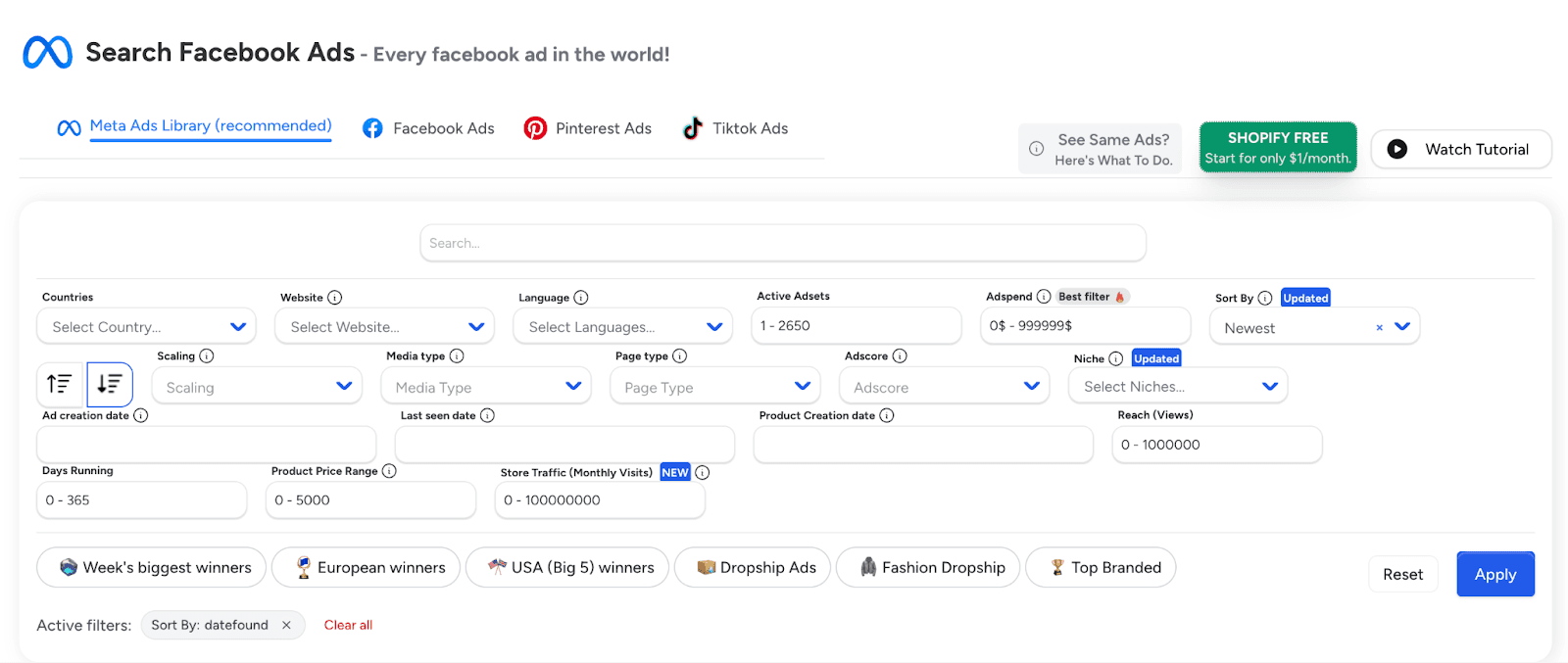
You can use the free view to answer questions like:
Which ads are active right now in a specific product category?
Whether certain creatives keep reappearing across advertisers?
How frequently do brands rotate ads during short testing cycles?
You begin to recognize when advertisers are refreshing creatives aggressively versus holding the same ads steady.
There’s an unlimited free trial, but with limited features. To use all the features, such as magic AI and full features of Facebook Ad Spy, you need to subscribe to the paid version.
2. Facebook Ad Library
The Facebook Ad Library is Meta’s own public database for ads running on Facebook and Instagram. It exists for transparency only and not competitive research, which is important to keep in mind while using it.
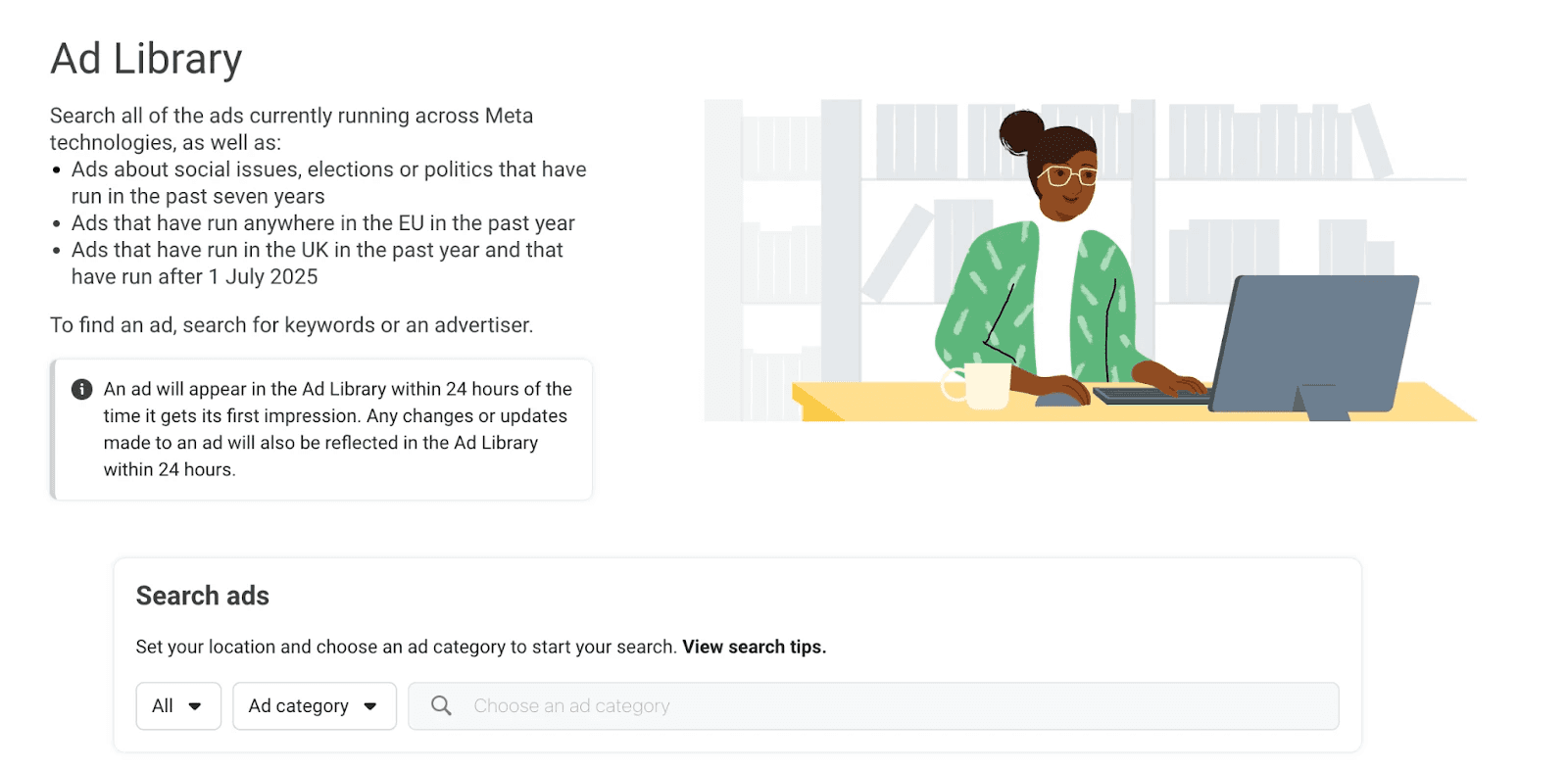
It’s easy to use, you can search the library by keyword, Page name, or advertiser. Once you open a Page, you can see every ad tied to that advertiser, even the ones that are no longer active. This makes it useful when you want to understand how a brand presents itself over time. You can scroll through different creatives and see how visuals change across campaigns without leaving the Page view.
The tool works best when your research scope is narrow. For example, if you want to confirm whether a competitor is currently advertising or review how a single brand tests creatives, the Ad Library will get your job done. Seeing all variations grouped together also helps when you want to spot recycled ads or repeated messaging angles.
Its limits show up quickly once you try to do more:
Ads cannot be ordered by engagement
There is no data on performance or spending
Checking multiple competitors becomes slow and repetitive
This can be used when you just want to check if any particular ad is running, but if you want to do in-depth research for competitor analysis, it falls short.
3. BigSpy
BigSpy works by collecting Facebook ads into one searchable database. You use it when you want to look at ad creatives without opening individual advertiser Pages or running repeated searches inside Meta’s own tools.
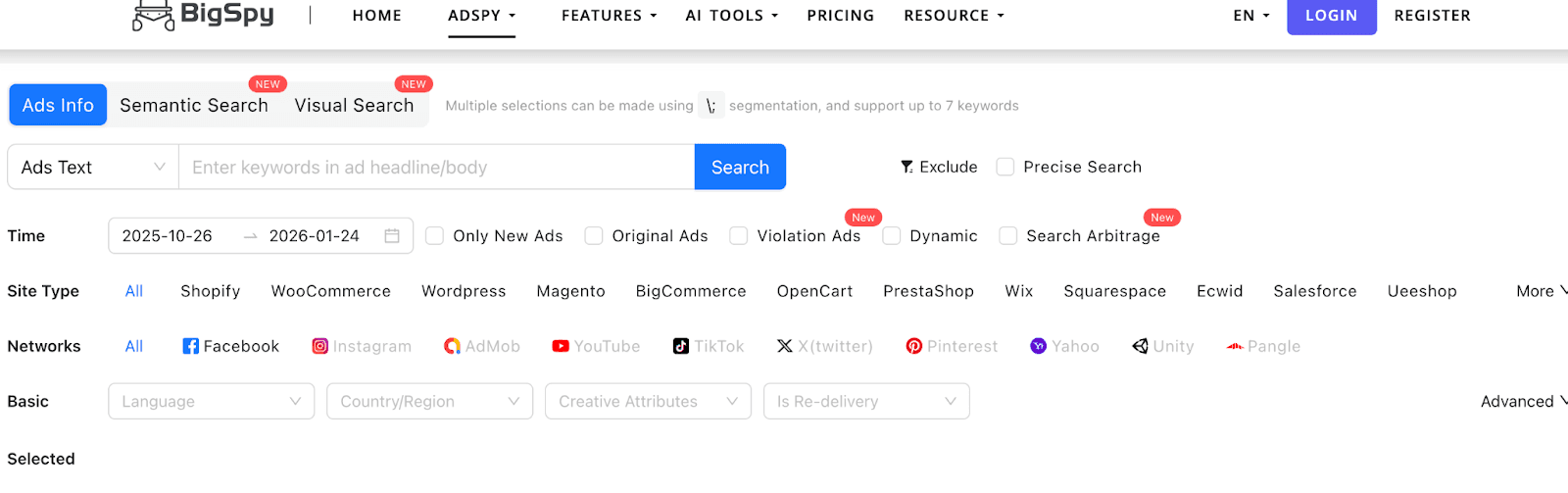
The free tier allows basic exploration. You can look through Facebook ad creatives across different niches and apply simple filters. BigSpy also shows light engagement signals, which can help you judge whether an ad is getting visible interaction, even though those signals do not explain actual performance.
This works for brief research sessions. If you want to check how ads are structured in a category or see how creatives differ across advertisers, the free access gives you enough room to explore before hitting limits.
It certainly has limits:
Daily search limits are reached quickly
Free usage does not support tracking the same advertisers over time
Because of these constraints, BigSpy’s free tier is better suited for one-off checks than for ongoing competitor monitoring. It helps you review ad creatives, but it is not built for continuous research.
4. Minea
Minea offers a Facebook ad spy tool with a free version that gives you a narrow look into e-commerce-focused ad creatives. It is built mainly around product advertising, so most of what you see revolves around storefront-style visuals and offer-driven creatives.
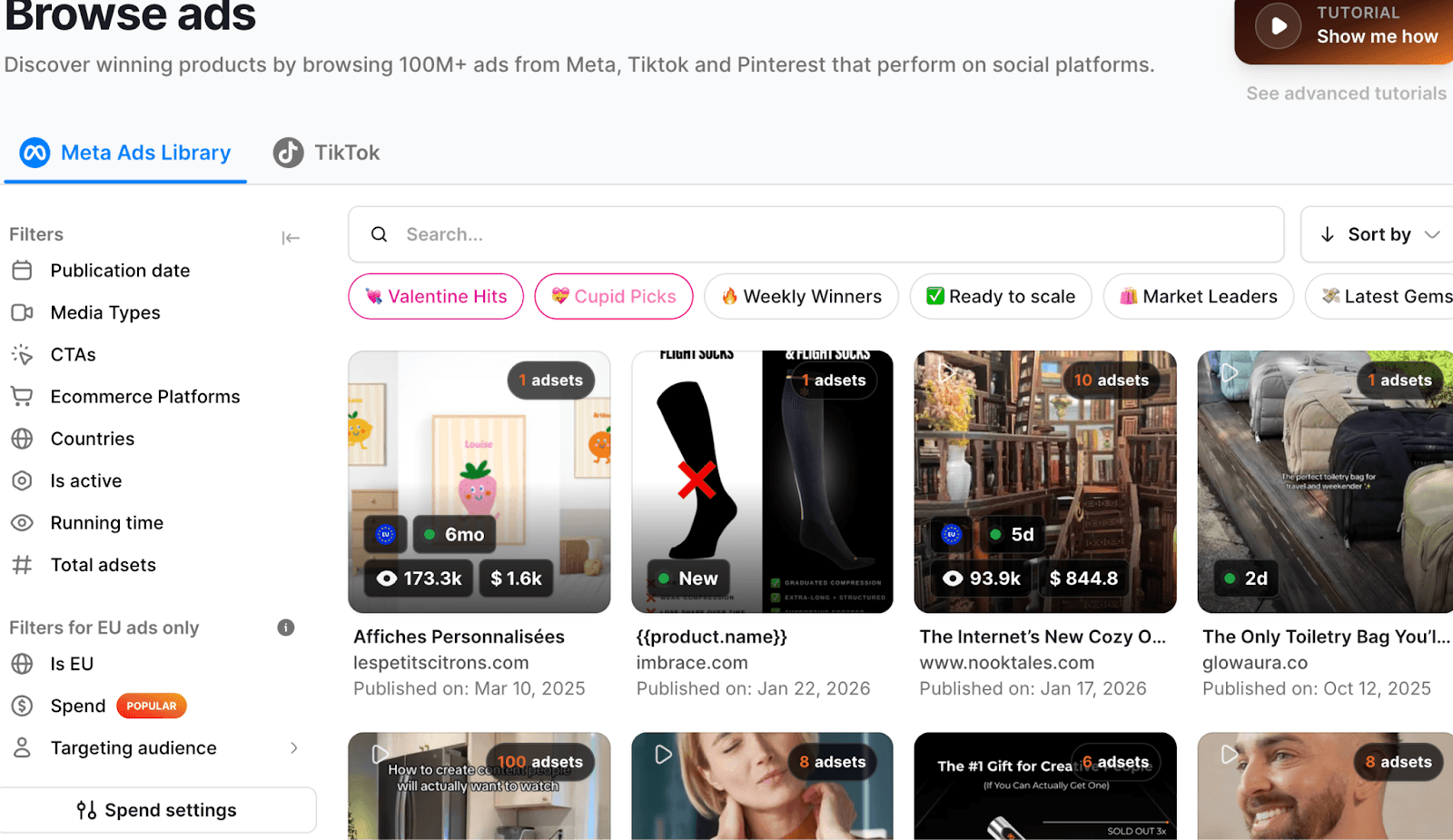
The free access works when your goal is simple scanning. You can browse Facebook ads used by e-commerce brands and get a feel for how products are presented across different categories. For example, if you are researching gadget ads or fashion products, Minea helps you spot common layouts and visual styles, and how products are framed inside the ad itself. It is more about exposure to formats.
The tool shows just enough to demonstrate its database and interface, but not enough to support extended research sessions or detailed filtering. Most actions feel intentionally limited once you move past surface-level browsing.
Limitations you will run into:
Search volume and filtering options are heavily restricted
Many actions are gated with prompts to upgrade
Minea’s free version works more as a preview than a research tool. It helps you understand how e-commerce ads look on Facebook, but it is clearly structured to push you toward a paid plan once curiosity turns into intent.
5. Vaizle
Vaizle is a lightweight Facebook ad viewer that does not require account creation or setup. You open it, run a search, and start browsing ads. That simplicity is the main reason people use it.
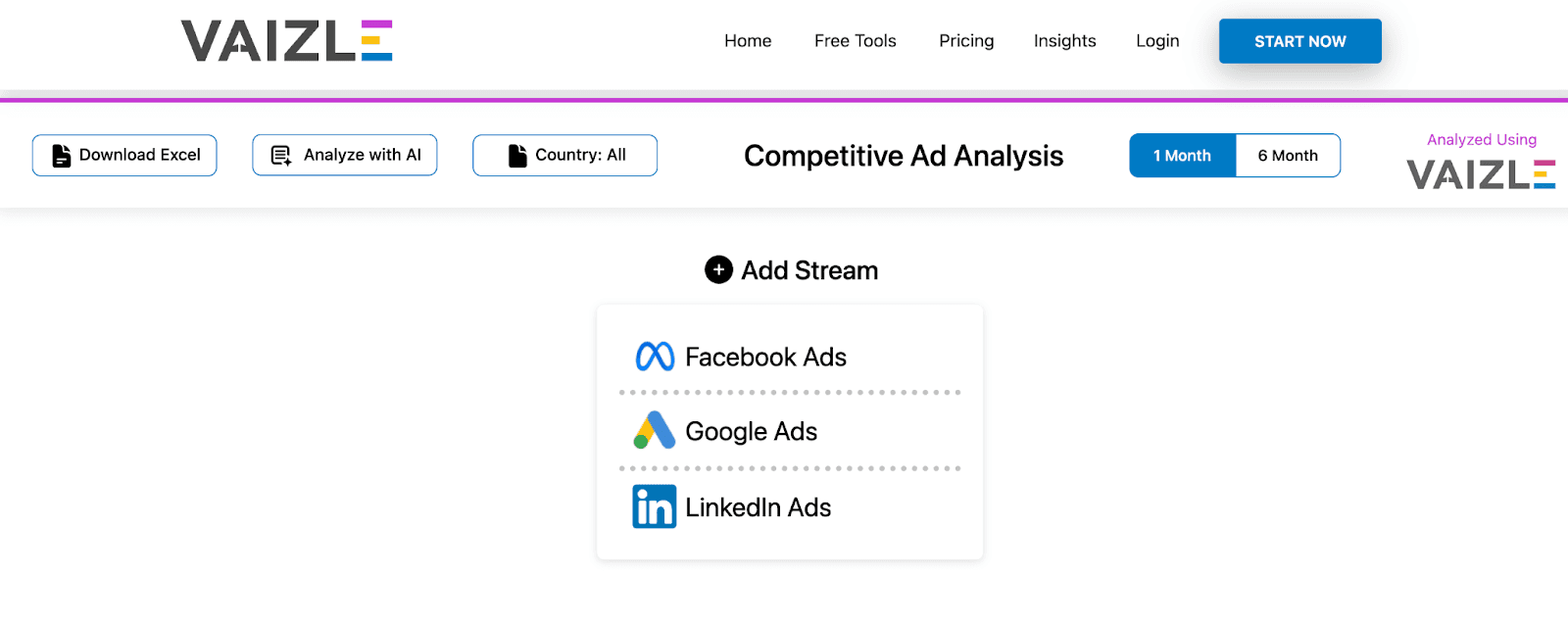
You can search Facebook ads by keyword or advertiser name and see creatives that have appeared recently. The results usually cover a short time window, which makes the tool better for checking what is live now rather than exploring long-running campaigns.
Vaizle is most useful when you need quick inspiration. If you are drafting ad angles or reviewing visual ideas, seeing a handful of current ads can help you reset your thinking without committing to deeper research. It works well for short sessions where you want ideas only.
Limitations to be aware of:
Historical coverage is shallow and cuts off quickly
Ads are not grouped at the advertiser level
It is not suited for competitor tracking or long-term analysis. It fills a narrow role by giving you a fast look at recent Facebook ad creatives, then steps out of the way.
6. PowerAdSpy
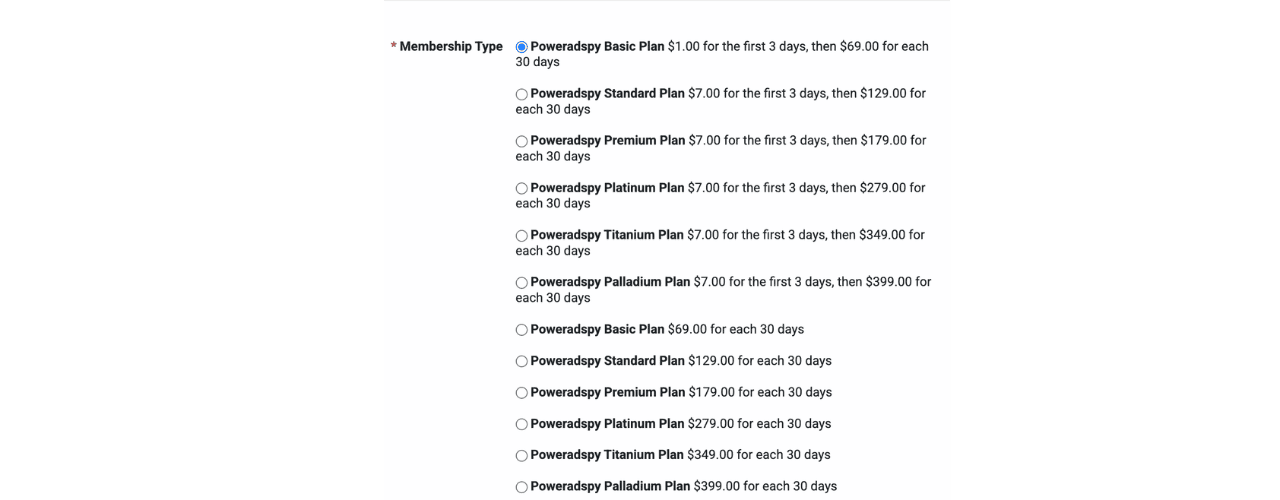
PowerAdSpy offers what is best described as a preview, and not the real access. You can view a small set of Facebook ads and try basic searches, but the experience ends before it becomes research.
The free view shows only a small sample of ad creatives. You can scan a few results and understand how the platform structures its database. After that, progress stops. There is no practical way to study trends or return later to continue analysis.
This setup is different from tools that allow restricted daily usage. Here, the limitation is built into the access itself. You are shown just enough to see the interface, then prompted to move forward.
Limitations to keep in mind:
Visibility covers only a tiny portion of the ad database
Consistent research is not possible on the preview
Access is not truly free and requires a 1$ three-day trial before full pricing applies
7. Manual Facebook Page Ad Check
The most basic way to see ads and also the most direct. You open a Facebook Page and check what that Page is running right now. No tools. Just the platform itself.
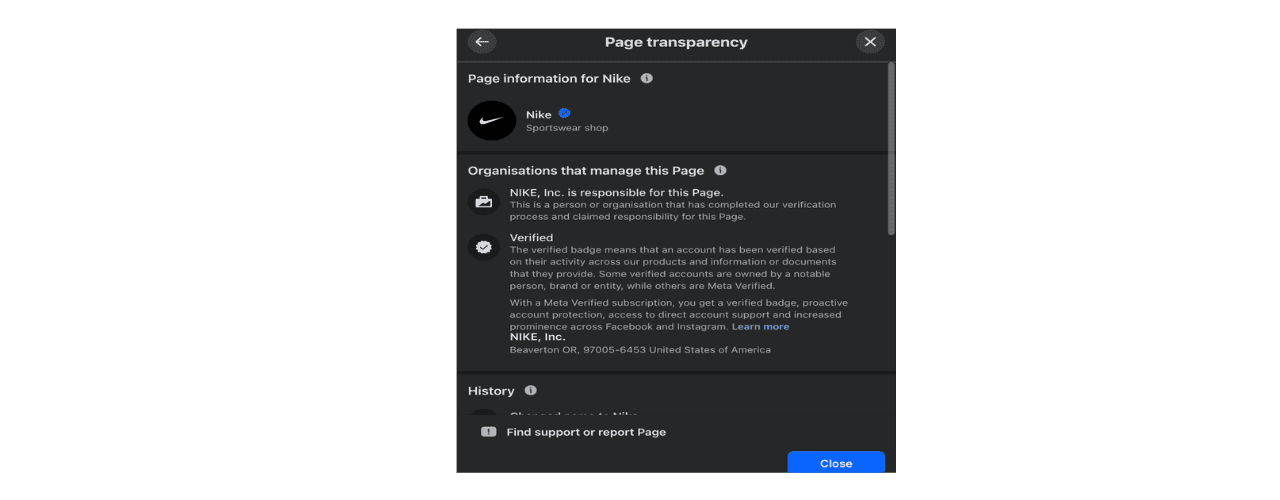
To do manual checks, visit any public Facebook Page, click on the page name, open Page Transparency, then check the Ads section. If the Page is advertising, you will see its currently active ads listed there. This includes creatives running on Facebook and Instagram, shown exactly as they appear to users. It works the same way for small stores and large brands.
This is useful when you already know who you want to check. For example, if you are reviewing a competitor store you came across on Instagram, this lets you confirm whether they are actively advertising and what creatives they are using at the moment. It is also the only option that works without relying on any third-party platform.
The drawbacks are hard to ignore:
Every Page must be checked one by one
There is no keyword search or broader market discovery
Comparing multiple competitors becomes very slow very quickly
Manual Page checks work as a last resort or a quick confirmation step. They help you verify what a single advertiser is running, but they do not scale once your research moves beyond one brand at a time. It becomes tiresome and boring quickly.
Here’s a quick comparison of free ad spy tools, so you can make your choice easily:
Tool | Type of Access | What You Can See | Best Use Case | Best For | Main Limitation |
WinningHunter | Free access with feature limits | Live Facebook and Instagram ads in one dashboard | Spotting active creatives and advertiser patterns | Beginner, Researcher, Scale | Limited features for the free version |
Facebook Ad Library | Fully free official tool | Active and inactive ads by individual Pages | Verifying what a specific advertiser is running | Beginner | No performance data and slow for multi-brand research |
BigSpy | Free tier with daily caps | Facebook ad creatives with basic engagement signals | Quick creative scans across niches | Beginner, Researcher | Daily limits make long sessions impractical |
Minea | Limited free version | E-commerce-focused Facebook ad creatives | Reviewing product-based ad formats | Beginner | Heavy restrictions are designed to push upgrades |
Vaizle | No login required | Recent Facebook ads by keyword or advertiser | Fast creative inspiration | Beginner | Very limited history and no advertiser grouping |
PowerAdSpy | Preview access | Small sample of Facebook ad creatives | Evaluating the platform interface | Beginner | Not truly free and unusable for ongoing research |
Manual Page Check | Fully manual | Active ads from a single Facebook Page | One-off competitor verification | Beginner | Extremely time-consuming and not scalable |
Are Free Ad Spy Tools Only for Facebook Ads?
Facebook is most talked about when it comes to ad spy tools because it is the easiest place to see ads. Meta shows live ads and advertiser details publicly, which makes Facebook and Instagram practical for checking what brands are running at any given time. You do not need special access or paid tools to get visibility.
Other platforms offer a limited level of access. TikTok shows ads through its Creative Center, mainly for trend spotting rather than advertiser-level research. Google lets you see search ads directly, but display and YouTube ads are harder to review without paid tools. Pinterest has an ad gallery, but it is also narrow and not suited for broader competitive checks.
When research starts spanning platforms, the main problem is switching. Checking Facebook in one place, TikTok in another, and Pinterest somewhere else slows things down. WinningHunter simply allows you to view ads across Meta, TikTok, and Pinterest in one place, which removes that back and forth without changing how you approach the research itself.
What a Free Ad Spy Tool Can and Cannot Show?
Free spy tools aren’t meant to show your competitor’s performance and all the magic secrets, for that, you need to get the paid version. You are just looking at what advertisers already allow the public to see. That boundary determines how useful the tool will be and where it stops helping.
Free tools expose the visible layer of advertising. They show what made it into the feed, not what happened after.
What free ad spy tools show | What free ad spy tools hide |
|---|---|
Ad creatives including images, videos, headlines, and copy | Audience targeting details, such as interests or lookalikes |
Advertiser or Page name | Conversion data like sales or leads |
Platform and ad format | Profitability or return metrics |
Active or inactive status | Scaling signals like campaign or ad set structure |
Ad platforms are required to make ads visible for transparency reasons. They are not required to expose how businesses run campaigns or make money. Targeting logic, performance metrics, and scaling behavior fall into protected territory.
Once you are well aware of these shortcomings, the usefulness increases because the expectations are already set. You stop expecting answers that they aren’t meant to answer and start using them for what they are best at.
How to Use Free Ad Spy Tools Effectively?
Free ad spy tools work best when you approach them with a clear purpose. They are meant to help you observe advertiser behavior only. A simple, repeatable process keeps your research focused and prevents overinterpretation.
Start with the Facebook Ad Library to confirm whether a Page is actively running ads
Use an aggregated tool such as WinningHunter to avoid checking advertisers one by one
Look for angles that appear repeatedly across different brands
Pay attention to creatives that remain live longer than others
Note which ad formats dominate a specific niche
Avoid drawing conclusions about profitability or performance
Free ad spy tools are most effective when you respect their limits and let patterns guide your next steps.
Where Free Ad Spy Tools Stop Being Useful
Free ad spy tools work as long as your questions stay broad. When you are looking at individual ads or checking whether a brand is active, they do the job. The moment you need to understand how a store behaves over time, or whether ad activity is increasing or slowing down, free tools start to fall behind.
At that point, the issue is no longer curiosity. It is workflow. Opening Pages manually, switching between tools, and trying to recall what you checked days ago breaks research into pieces. You end up revisiting the same ground instead of building on it, and the process becomes tiring fast.
This is where WinningHunter fits in naturally. When Meta ad research becomes repeatable and time sensitive, having ads organized by advertiser and activity removes friction. It supports the research process and makes analysis easier to maintain, especially when you are working at scale rather than checking ads one by one.
FAQs
Are Facebook ad spy tools really free?
Yes, but free access comes with clear limits. You can view ad creatives, advertiser names, formats, and active status. Anything tied to results stays hidden. Free tools are built for visibility only, which is why they work best for observation rather than decision-making.
Can I see competitor ad spend on Facebook for free?
No. Meta does not publish ad spend data. There is no free method or workaround that reveals how much a competitor is spending. Any tool claiming to show exact spend for free without platform access is making estimates, not showing verified numbers.
Are free Facebook ad spy tools enough for beginners?
Yes, for learning how ads are structured and how creatives differ across brands. They help you understand formats and basic testing behavior. There are not enough when you need to compare and track changes over time.
Does WinningHunter require a credit card for free access?
No. WinningHunter allows free access without asking for a credit card. You can explore live Meta ads and understand how the platform works before deciding whether you need more advanced features.


We already know what works before you even have the chance to blink!
© 2024 WinningHunter.com