autods-review
AutoDS Review: Is This Dropshipping Automation Tool Worth It?

Order notifications feel exciting until they start piling up. Each sale triggers a chain of tasks that quietly builds in the background. Supplier orders need to be placed. Tracking numbers must be added. Prices and stock levels continue shifting while your store keeps running.
Automation tools claim to remove much of that operational load. One platform that appears frequently in these conversations is AutoDS. The software combines automated order fulfillment, product importing, supplier integrations, and product discovery features within a single system.
We noticed that sellers tend to use the platform in two different ways. Some rely on it to keep daily store operations running smoothly, while others mainly use it to search for products and suppliers.
This review looks closely at both sides to understand where AutoDS actually delivers the most value.
Quick Verdict
7.2 / 10 - A capable dropshipping automation platform that removes much of the manual store work, especially for beginners. Automation and product importing are strong, but billing complaints, occasional syncing issues, and lighter research features keep it from being a top-tier intelligence platform.
What We Measured
Category | Score |
Ad Spy Features | 6/10 |
Database Accuracy | 7/10 |
Update Frequency | 7/10 |
Pricing & Value | 6.5/10 |
Ease of Use | 8.5/10 |
Support Quality | 7/10 |
Best for
New dropshippers or small store owners who want automation handling product imports, supplier orders, and price monitoring without building a complex workflow.
Skip if
You rely heavily on advanced ad intelligence, deep product research, or highly customizable supplier workflows, where dedicated research or automation tools may offer stronger capabilities.
What We Did to Test This?
Before writing this review, our WinningHunter team tested the platform and compared that experience with feedback from the dropshipping community.
Used AutoDS for days across test stores connected to multiple supplier marketplaces.
Reviewed user comments and ratings across Trustpilot, Reddit, G2, the Shopify App Store, and YouTube discussions.
Went through recurring conversations about pricing structure, automation reliability, supplier coverage, and common setup issues.
Tested features the platform promotes heavily, including automated order fulfillment, price monitoring, and product importing.
Contacted customer support with onboarding and billing questions to see how quickly the team responded and how helpful the answers were.
What is AutoDS?
AutoDS is software that helps you run a dropshipping store without handling every operational task manually. After connecting your e-commerce store, the platform links your listings with suppliers and manages several routine processes that normally require constant attention.
The tool first became popular for automated order fulfillment. When a customer places an order, the system can send that order to the supplier and update tracking information once the shipment is available. This removes one of the most repetitive tasks in dropshipping.
Over time, the platform expanded into a broader management system. The platform allows product importing, monitors supplier price changes, tracks stock availability, and manages multiple suppliers from the same workspace. AutoDS also includes product discovery tools that help sellers search for items to add to their stores.
Because of this mix of features, the platform sits somewhere between a store operations tool and a product research platform. Many sellers use it mainly for automation, while others rely on it to find products and suppliers.
What Real Users Say
We analyzed feedback from Trustpilot (26,000+ reviews), Reddit discussions, G2, Shopify App Store, and YouTube comments. Here’s what people love and complain about.
What Users Love
1. Automation saves significant time
Automation appears repeatedly in feedback. Many users describe it as the feature that simplifies the day-to-day work involved in running a dropshipping store.
Several reviews mention how the platform removes the repetitive steps that usually slow sellers down. Once automation is configured, routine actions such as processing orders or updating store information no longer require constant manual input.

A user says the platform makes dropshipping easier to manage when they are just starting. The automation handles operational steps that normally require manual work, which helps beginners focus on finding products and running their store.
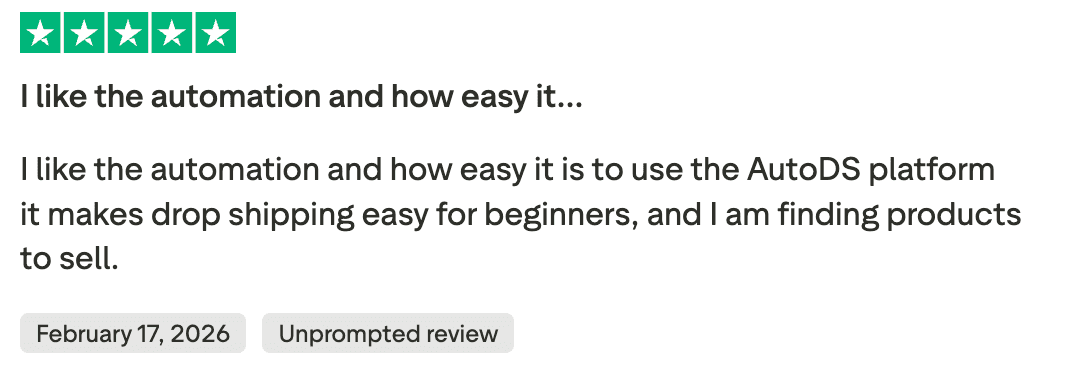
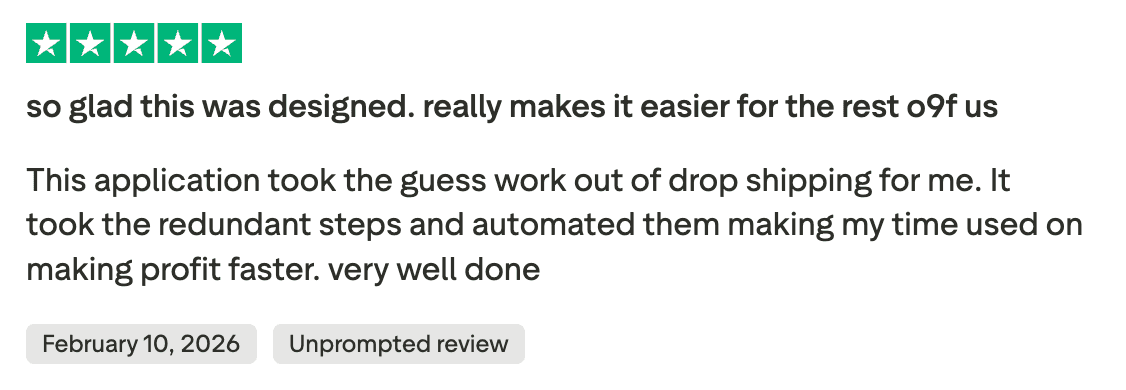
Other reviewers point out that removing those repetitive steps allows them to spend less time handling store operations and more time working on sales and product selection.
2. Responsive customer support
Customer support receives positive mentions in several reviews of AutoDS. Some users point out that when they asked for help, the team responded quickly and resolved the issue without long waiting times.
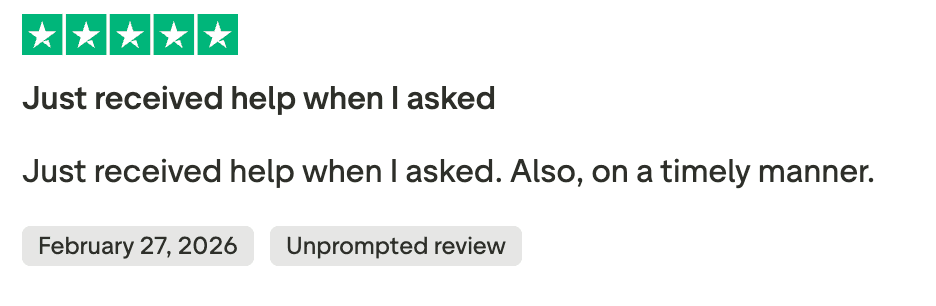
Speed of response appears to matter most for people setting up their store or learning the platform. A few reviews specifically mention receiving help soon after submitting a request, which made the setup process smoother.

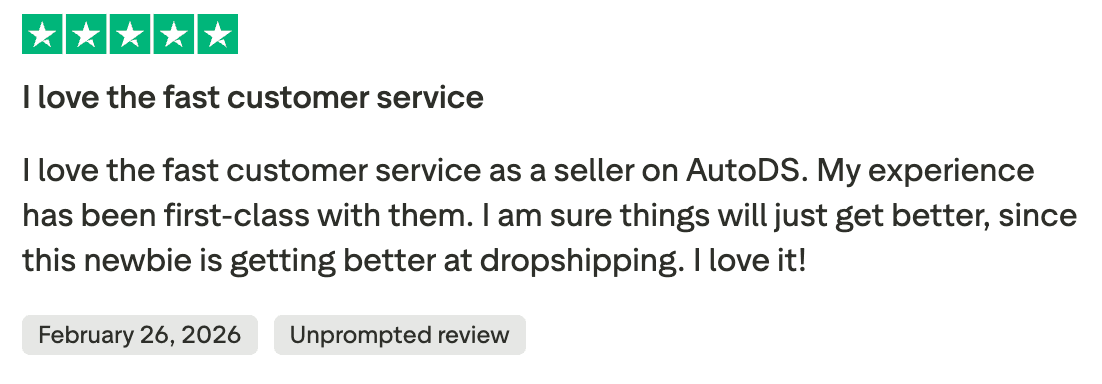
Overall, there is a lot of positive feedback on the customer support.
3. Beginner-friendly tools
Ease of use is another point highlighted in reviews. One reviewer describes the tools as easy and friendly to work with and suggests the platform to beginners.


The feedback focuses on how approachable the tools feel. For people new to dropshipping software, that simplicity makes the platform easier to start using.
What Users Complain About
1. Billing and subscription complaints
Billing issues appear in a number of negative reviews about AutoDS. The complaints mainly revolve around unexpected charges, subscription renewals, or confusion about plan upgrades.
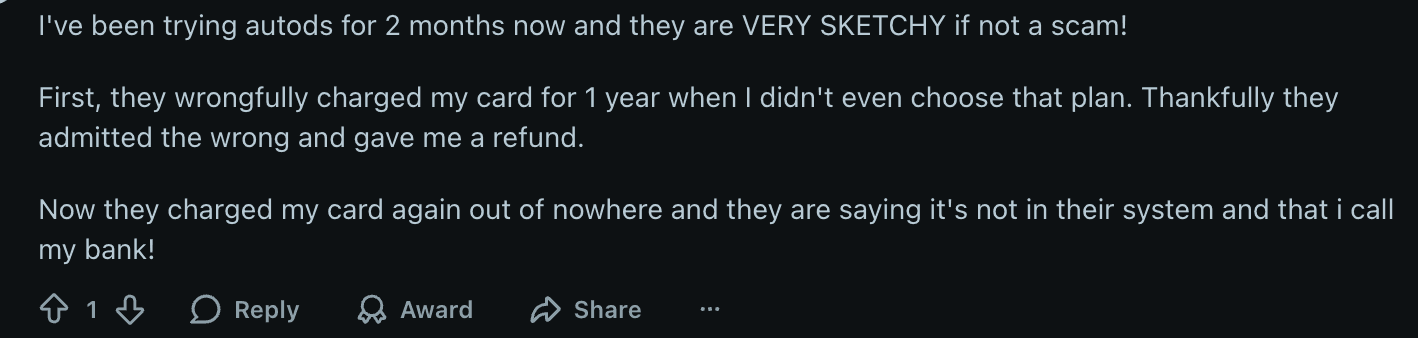
In some cases, users say they were charged for a yearly plan even though they believed they had selected a different option. One reviewer explains that a charge appeared on their card for a full-year subscription. The company later acknowledged the mistake and issued a refund, but the situation happened again later, which led the user to question the billing system.
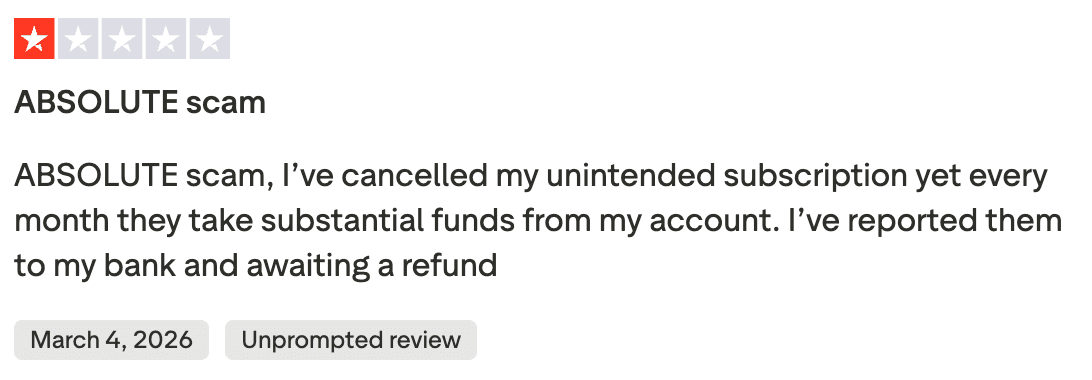
Other complaints describe subscriptions continuing after the user believed they had already cancelled their account. In this situation, the payments kept appearing each month, which pushed some customers to report the charges to their bank while waiting for a refund.
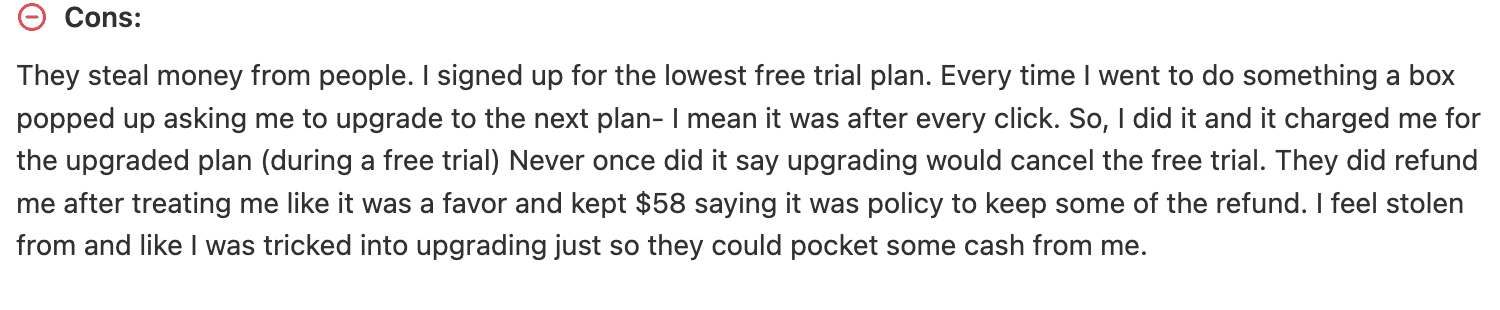
There are also frustrations around upgrade prompts shown during the free trial period. One user explains that a pop-up repeatedly suggested upgrading to the next plan while they were still testing the platform. After accepting the upgrade, the system charged the account, and the user later realized that the free trial had ended as a result.
Because billing problems involve direct charges to a card or bank account, these situations tend to trigger stronger reactions in reviews compared to typical feature complaints.
We have only added a few reviews here, but there are a bunch of these negative reviews around billing issue which decreases credibility.
2. Technical issues and reliability complaints
Technical problems also appear in some negative reviews. A few users describe situations where certain features did not behave as expected while running their store.
One reviewer explains that products saved in draft mode never appeared in the store, even after uploading them. The same review also mentions supplier products being marked as unmonitored, which prevented automatic orders from being placed when customers purchased the item.
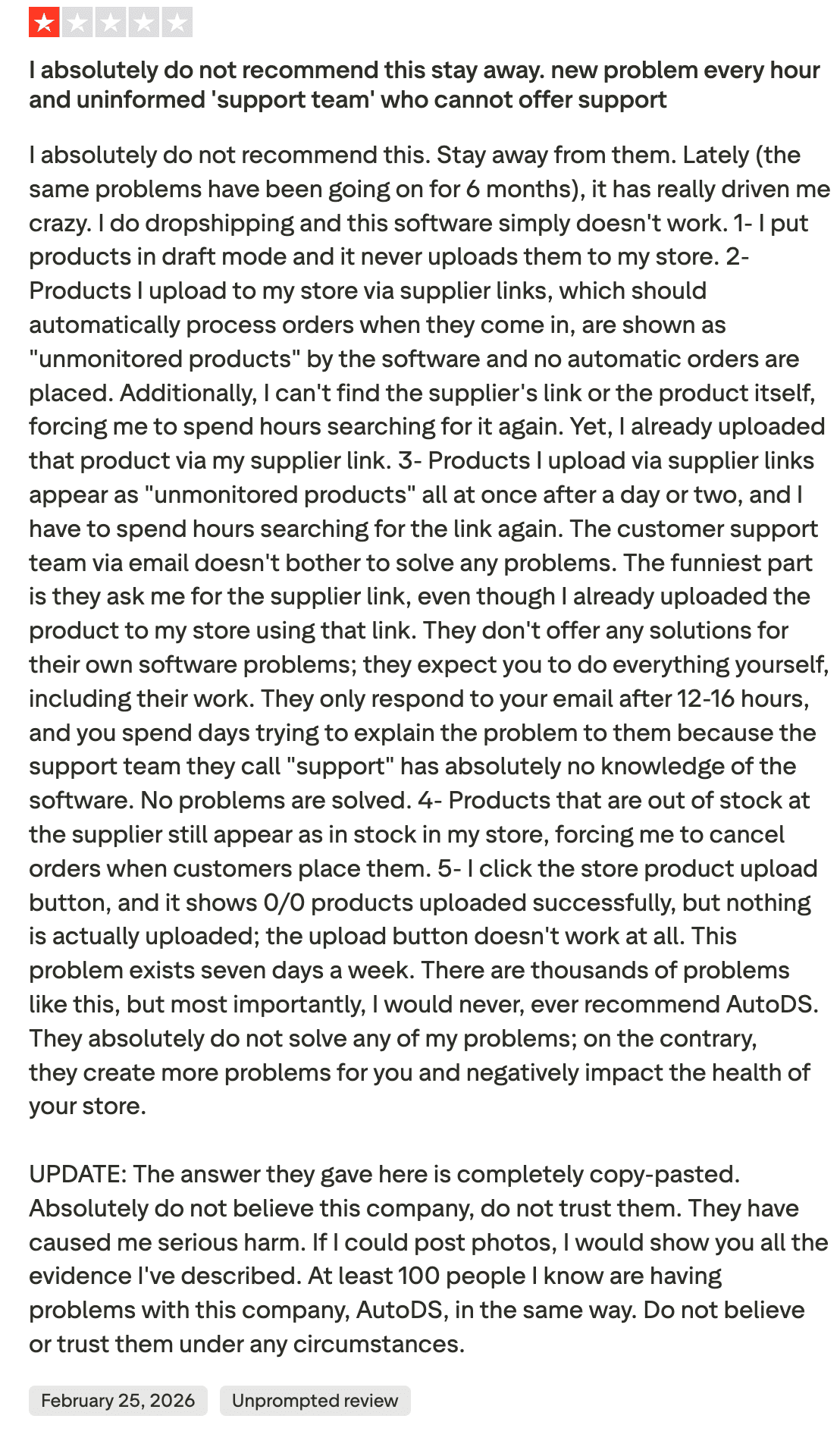
Inventory synchronization is another issue raised in the complaint. According to the review, some products continued showing as available in the store even though the supplier listing had already gone out of stock. This situation forced the seller to cancel customer orders after they were placed.
The review also describes problems with the product upload process. The platform showed that the upload was successful, yet the products never appeared in the store. In addition to the technical issues, the reviewer expresses frustration with the support process, explaining that responses arrived hours later and did not resolve the problems being reported.
We can clearly see the frustration and hassle this user had to go through.
These issues affect product listings, automation, and order processing, they can directly impact store operations when they occur.
3. Confusion around product limits in pricing plans
Another complaint appears around how product limits work within the pricing plans of AutoDS. One user describes frustration with the way product imports are counted in the Starter 400 plan.
The issue comes from how the system counts product variants. A listing that includes multiple sizes or colors does not count as a single product. Each variant is treated as a separate item within the plan’s product limit.

The reviewer gives a simple example. A T-shirt available in five colors and five sizes results in twenty-five variants. The platform counts each of those variants individually, which quickly reduces the number of unique products that can be added to the store.
Because of this structure, the user explains that a plan advertised for four hundred product imports may allow far fewer actual listings once variants are included.
This difference between expected product capacity and how the system counts variants becomes a source of confusion for some users.
4. Product import and stock synchronization issues
Product importing and stock synchronization also appear in a few critical reviews of AutoDS. One user describes problems where listings show as out of stock in the store even though the supplier still has available inventory.
The same complaint also mentions difficulty importing products. Items sometimes disappear from draft listings and later reappear, which forces the user to attempt the import process multiple times before the product finally appears in the store.
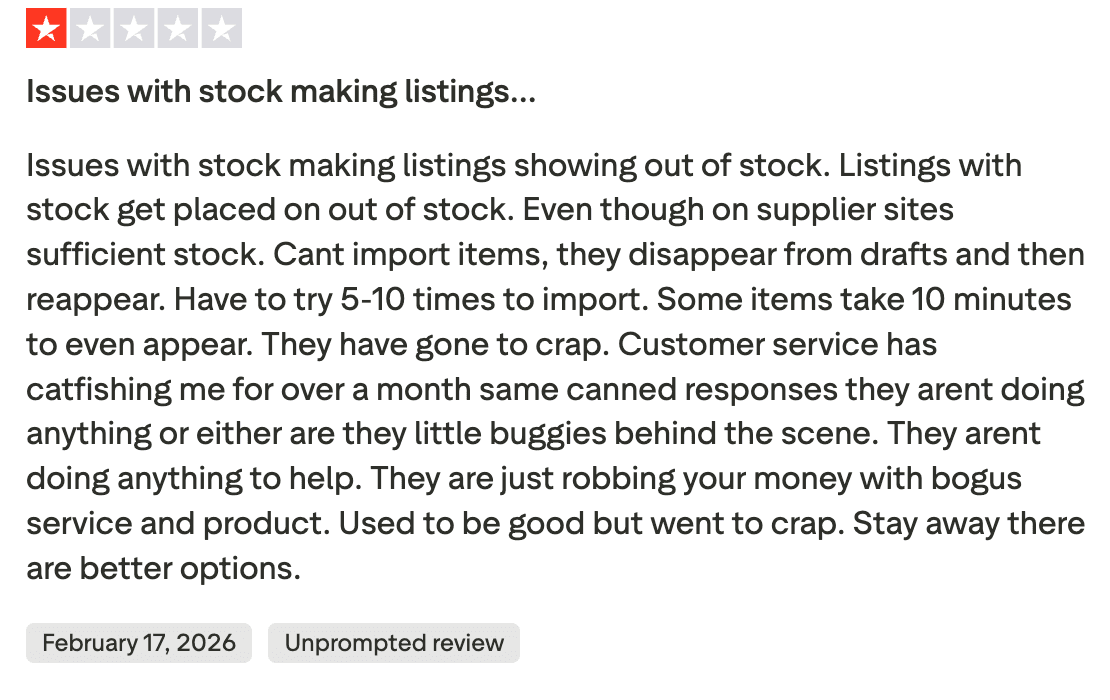
The reviewer also points out delays during the import process. In some cases, products take several minutes before appearing in the store after being uploaded. The user says managing listings becomes frustrating when the system does not behave consistently.
In addition to the listing problems, the review expresses frustration with customer support responses, describing repeated replies that did not resolve the issues being reported.
Features Breakdown: What You Actually Get
1. Product Importing
AutoDS includes a product importing feature that allows sellers to pull items from supported supplier marketplaces and publish them to their e-commerce store without building listings manually.
After adding a supplier link, the platform collects the main product details from the source listing and prepares them for publishing in the store. This reduces the amount of manual data entry normally required when creating dropshipping listings.
The import typically includes the following information:
Product title
Product images
Descriptions
Variants and options
Pricing data
Shipping information
Once the product appears in the platform, the listing can be reviewed, edited, and then pushed to the store.
During testing, the importing process felt fairly straightforward. Adding a supplier link quickly generated a ready-to-edit product listing, and most of the important information was already filled in.
For beginners, especially, this removes a large amount of manual work. Instead of creating listings field by field, sellers can prepare products for their store within a few minutes.
2. Automated Order Fulfillment
Automated order fulfillment is one of the most recognized features of AutoDS. The platform can handle supplier ordering once automation rules are enabled.
When a customer purchases a product from your store, the system can place the corresponding order with the supplier and continue the fulfillment process. This removes the need to manually open each supplier page and complete the purchase yourself.
Automation also helps reduce routine operational work that usually happens after every sale, such as placing supplier orders and updating order information.
While testing, orders were sent to the supplier successfully once automation settings were configured, and the store connection was active.
3. Price and Stock Monitoring
Price and stock monitoring is another feature included in AutoDS. The system checks supplier listings periodically and looks for changes in product pricing or inventory availability.
When a supplier price changed during testing, the platform adjusted the product price in the store based on the pricing rules configured in the automation settings. The system also flagged products when supplier inventory changed, so listings did not continue showing items that were no longer available.
This type of monitoring helps address two common dropshipping problems:
Selling items that are no longer available
Losing profit margin due to supplier price changes
As suppliers' listings are checked automatically, sellers do not have to manually track price changes or inventory updates across every product.
4. Ads Spy Tool
AutoDS includes an Ads Spy feature that collects e-commerce ads from platforms such as Facebook, Instagram, and TikTok. The library displays active ad creatives along with engagement signals and basic campaign details.
Filters allow searches by keywords, niche, engagement levels, and other signals. This makes it possible to scan ads that are gaining traction and trace them back to the products being promoted.
One practical advantage of the tool is the connection between ads and product sourcing. When the product behind an ad is available through supported suppliers, the listing can move directly into the product import workflow without leaving the platform.
User feedback around this feature is mixed. New sellers often appreciate having ad discovery and product sourcing available in the same environment. More experienced dropshippers sometimes rely on dedicated ad intelligence tools when they want deeper campaign data or a broader ad database.
5. Product Research Tools
AutoDS also includes product research features that help sellers look for items to add to their store.
The platform provides a research section where users can browse trending products and supplier listings. Products shown in this area include basic information such as supplier availability, pricing, and demand signals that help sellers decide whether a product might be worth testing.
During testing, the research tools made it easy to scroll through product ideas and move listings directly into the import process. Instead of searching across multiple marketplaces, the platform presents products in one place.
However, the research features are fairly simple compared with dedicated product intelligence or ad tracking tools. Some experienced dropshippers still rely on separate platforms when they want deeper ad data, competitor analysis, or broader trend tracking.
The built-in research tools are useful for quickly generating product ideas. Sellers who rely heavily on advanced research or ad analysis may still prefer specialized research platforms alongside AutoDS.
6. Bulk Product Importing
AutoDS also supports importing multiple products at once. Instead of adding listings one by one, sellers can bring several products into the platform during the same session.
This option is useful when preparing a batch of items for testing. Sellers who experiment with multiple niches or categories often add several products together and then review the listings before publishing them to the store.
Reviews occasionally reference this capability because it reduces the time required to prepare product listings. Adding products in groups makes it easier to set up new tests without repeating the same import steps for every individual item.
Pricing: What It Actually Costs
The pricing structure of AutoDS is based on the number of products a seller manages and the level of automation features required. The plans shown below are billed annually, and the monthly cost decreases when the yearly billing option is selected.
Plan | Monthly | Annual (per month) | What You Get |
Import | $26.90 | $19.90 | Automation basics with support for up to 200 products |
Starter | $39.90 | $29.90 | Product limits increase to 201–500 with bulk importing and tracking updates |
Advanced | $66.90 | $49.90 | Higher automation limits with support for 501–1,000 products and additional store management tools |
Enterprise | Custom | Custom | Designed for stores managing more than 1,000 products |
There are also a few cost considerations that users mention in discussions about pricing. Some automation tools and services are available as paid add-ons. Sellers with larger catalogs may need to move to higher plans as their store grows. Certain sourcing or fulfillment services can also increase the overall monthly cost depending on how the platform is used.
The Starter plan often works for smaller stores, testing a limited number of products. As stores scale and manage larger catalogs, many sellers move to the Advanced plan to avoid hitting product limits.
Who Should Use AutoDS?
The way AutoDS is designed makes it more suitable for certain types of sellers than others. The platform focuses heavily on store automation, supplier syncing, and product management. For sellers who want a system handling routine operational tasks, that structure can simplify daily store management.
At the same time, the platform may not suit everyone. Sellers who prefer manual control over suppliers or rely heavily on specialized research tools sometimes choose a different workflow.
It's a good fit if you | It's NOT a good fit if you |
Want to automate order fulfillment and product management | Prefer managing suppliers manually |
Run multiple stores or manage large product catalogs | Want deeper ad research or competitor ad intelligence |
Prefer one platform handling several operational tasks | Already rely on separate automation systems |
Are new to dropshipping and want a simpler setup process | Require full control over logistics or sourcing agents |
Need automated price and inventory monitoring to reduce overselling risks | Prefer building a custom workflow with multiple specialized tools |
The platform works best for sellers who want automation handling daily store operations such as product importing, order fulfillment, and price monitoring. Features like product discovery and the Ads Spy tool add basic research capability, though many experienced sellers still rely on dedicated ad intelligence platforms for deeper analysis.
What We’d Change
After testing the platform and reviewing user feedback discussed earlier in this article, a few improvement areas appear repeatedly.
If we were advising the product team at AutoDS, these are the areas that would likely have the biggest impact.
Clarify the pricing structure - Some users mention confusion around how product limits, variants, and plan tiers work. Clearer explanations during signup could reduce misunderstandings about how many listings a plan actually supports.
Improve platform stability - A number of negative reviews describe problems with product imports, listings appearing as unmonitored, or inventory synchronization behaving unexpectedly. Improving reliability in these areas would increase trust in the automation system.
Expand the product research capabilities - The built-in discovery tools and Ads Spy feature make it possible to browse product ideas without leaving the platform. However, the research environment is still lighter than specialized AI or product validation tools.
Increase transparency around billing and cancellation - Some complaints focus on unexpected charges, subscription renewals, or plan upgrades affecting the trial period. Clearer billing communication and easier cancellation processes would likely reduce frustration in these situations.
Support: What to Expect
To understand how support works in practice, we contacted the support team during testing with a basic onboarding question.
Channel: Live chat
Response time: Instant bot reply
Quality: Clear instructions and guidance for the setup question
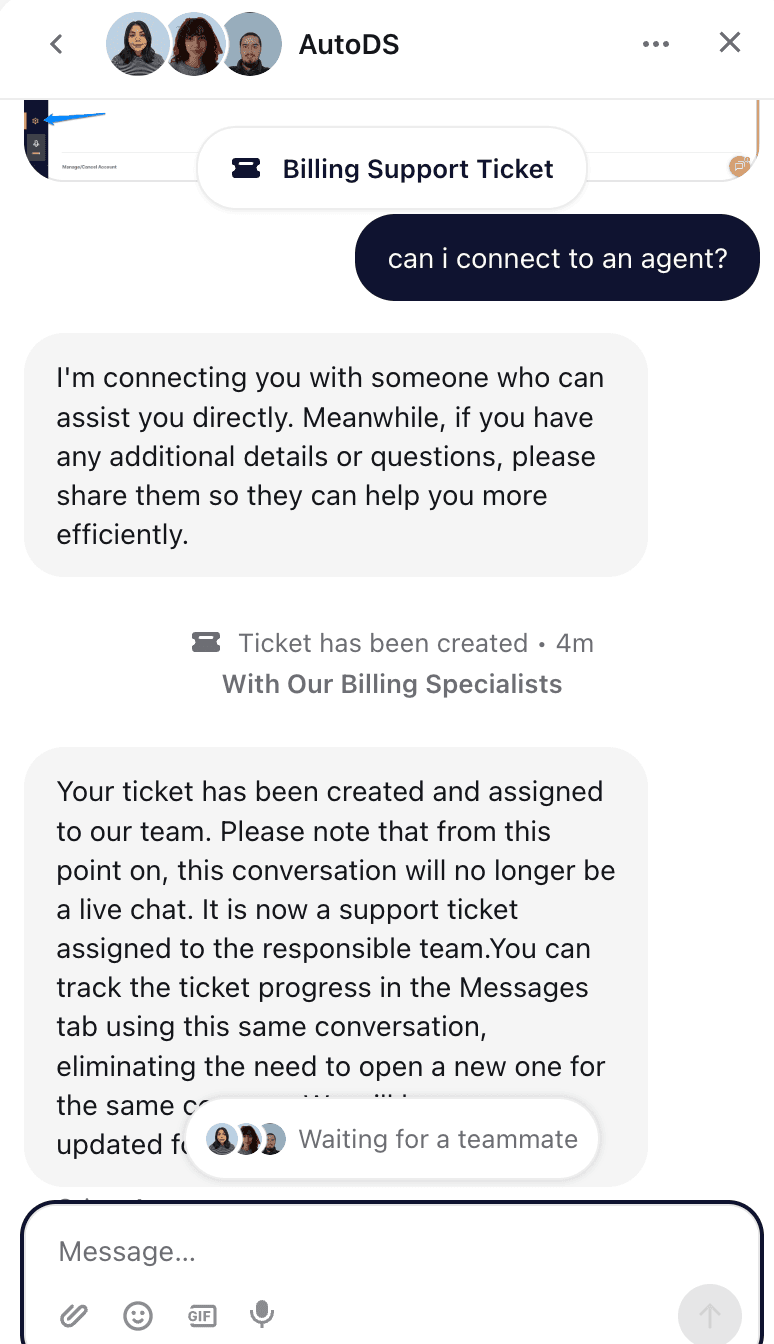
When we asked to connect with a human agent, the conversation changed from a live chat to a support ticket. A message appeared confirming that a billing support ticket had been created and assigned to the responsible team.
From there, the conversation no longer functioned as real time chat. Updates were expected to arrive through the same message thread once the team reviewed the ticket.
This suggests that the chat initially works as a quick entry point for support, but requests that require a specialist are routed into the ticket system.
User feedback around support is generally positive for onboarding and basic questions. Many reviews mention quick responses and helpful guidance when setting up the platform.
At the same time, some negative reviews describe slower replies when the issue involves billing disputes, refunds, or account-related concerns.
So the support isn’t the best, but not the worst, it sits somewhere in the middle.
The Bottom Line
AutoDS scored 7.2/10 in our analysis
AutoDS is built primarily as a store automation system. Features such as automated order fulfillment, product importing, and price and inventory monitoring reduce much of the repetitive work involved in running a dropshipping store.
The platform also includes product discovery tools and an Ads Spy feature that help surface product ideas and competitor ads. These tools are useful for quick research, though they are not as deep as dedicated product intelligence platforms.
Pricing structure and product limits can take time to understand, and some users report occasional syncing or listing issues in reviews.
Our recommendation: New to dropshipping? AutoDS works well as an automation platform that simplifies store management.
Looking for a full product research environment? The built-in tools help with discovery, but many experienced sellers still rely on specialized ad research or product intelligence platforms alongside AutoDS.
FAQs
Is AutoDS worth it?
AutoDS can be worth it if your goal is to reduce the daily workload of running a dropshipping store. The automation tools handle tasks such as product importing, supplier orders, and price monitoring. Sellers managing many listings often find this helpful, though the value depends on how much automation your store actually needs.
Does AutoDS offer a free trial?
Yes, AutoDS usually offers a short trial so new users can explore the platform before paying for a subscription, but it’s not totally free, they charge $1 for the trial. The trial allows sellers to connect a store, import products, and look around the automation settings to see how the system works.
Is AutoDS legit?
AutoDS is a real platform used by dropshippers to automate store operations. It connects with e-commerce stores and suppliers to handle tasks like product imports and order processing. The tool has been around for years and is widely discussed in dropshipping communities, though experiences vary across users.
What is the best AutoDS alternative?
There is no single tool that replaces everything AutoDS does. Some sellers move to DSers when they only need AliExpress order automation. Others rely on product research platforms such as WinningHunter when the goal is finding trending products and active ads rather than automating store operations.
Can I cancel AutoDS anytime?
Yes. The subscription can be cancelled from the account settings area. After cancelling, the account usually stays active until the current billing cycle ends. If the cancellation is done during a trial or before the next renewal, the system should stop future charges once the billing period finishes. But there is some negative feedback around it, so we suggest double-checking your billing for any charges.


We already know what works before you even have the chance to blink!
© 2024 WinningHunter.com