foreplay-review
Foreplay Review 2026: Is This Creative Workflow Tool Worth It?

Your next winning ad idea is probably buried somewhere between saved posts, random screenshots, Slack threads, and fifty open tabs. Finding ads is no longer the hard part. Managing creative chaos is.
That problem helped Foreplay become one of the fastest-growing creative workflow platforms for agencies, media buyers, UGC teams, and ecommerce brands running aggressive ad testing. Unlike traditional ad spy tools focused on massive ad libraries, Foreplay leans heavily into organization, collaboration, creator briefing, and swipe file management.
Users praise its workflow experience, though pricing and limited ecommerce intelligence continue to raise questions. So, is Foreplay actually worth paying for in 2026?
Quick Verdict
Score: 8.1/10: A polished creative workflow platform with excellent collaboration and swipe file organization, though limited ecommerce intelligence prevents it from fully replacing dedicated product research tools.
What We Measured
Area | Score |
Creative Workflow Features | 9/10 |
Ad Discovery Features | 7/10 |
Database Depth | 6.5/10 |
Pricing & Value | 7/10 |
Ease of Use | 9.5/10 |
Team Collaboration | 9/10 |
Support Quality | 8.5/10 |
Best for: Agencies, paid social teams, creative strategists, and ecommerce brands managing large creative pipelines and collaborative ad workflows.
Skip if: You need Shopify revenue tracking, deep product validation, advanced ecommerce intelligence, or lower-cost ad spy research tools.
What We Did to Test This?
Before writing this review, we:
Tested Foreplay across Meta and TikTok creative research workflows.
Used the Chrome extension to save ads, organize swipe files, and build competitor boards.
Reviewed feedback from G2, Reddit discussions, and YouTube comments.
Analyzed recurring complaints tied to pricing, ecommerce intelligence, and database depth.
Evaluated how collaboration, creator briefing, and board management perform in real agency workflows.
Tested onboarding experience, creative organization speed, and day-to-day usability.
Reviewed verified user sentiment around customer support and overall reliability.
This review combines hands-on testing with recurring feedback patterns from marketers actively using Foreplay in production environments.
What is Foreplay?

Foreplay is a creative workflow platform built for marketers who spend large amounts of time researching, saving, organizing, and sharing ad inspiration. While many users initially discover it as an ad spy tool, the platform focuses far more on swipe file management, creative collaboration, competitor tracking, and creator briefing workflows than deep ecommerce intelligence.
Marketers often describe Foreplay as “Pinterest for ads” because of its visual board system and collaborative structure. Agencies, creative strategists, UGC teams, and ecommerce brands running high-volume creative testing tend to get the most value from it.
The platform is not designed for Shopify revenue tracking, store intelligence, or product validation. Foreplay works best as a creative operations system that helps teams move faster from ad inspiration to campaign execution.
What Real Users Say?
What Users Love
1. Extremely Easy To Use
Ease of use is the most consistent theme across Foreplay’s G2 reviews. Users regularly describe the platform as “super intuitive,” “stupid easy,” and “frictionless,” especially when organizing swipe files and researching creatives.
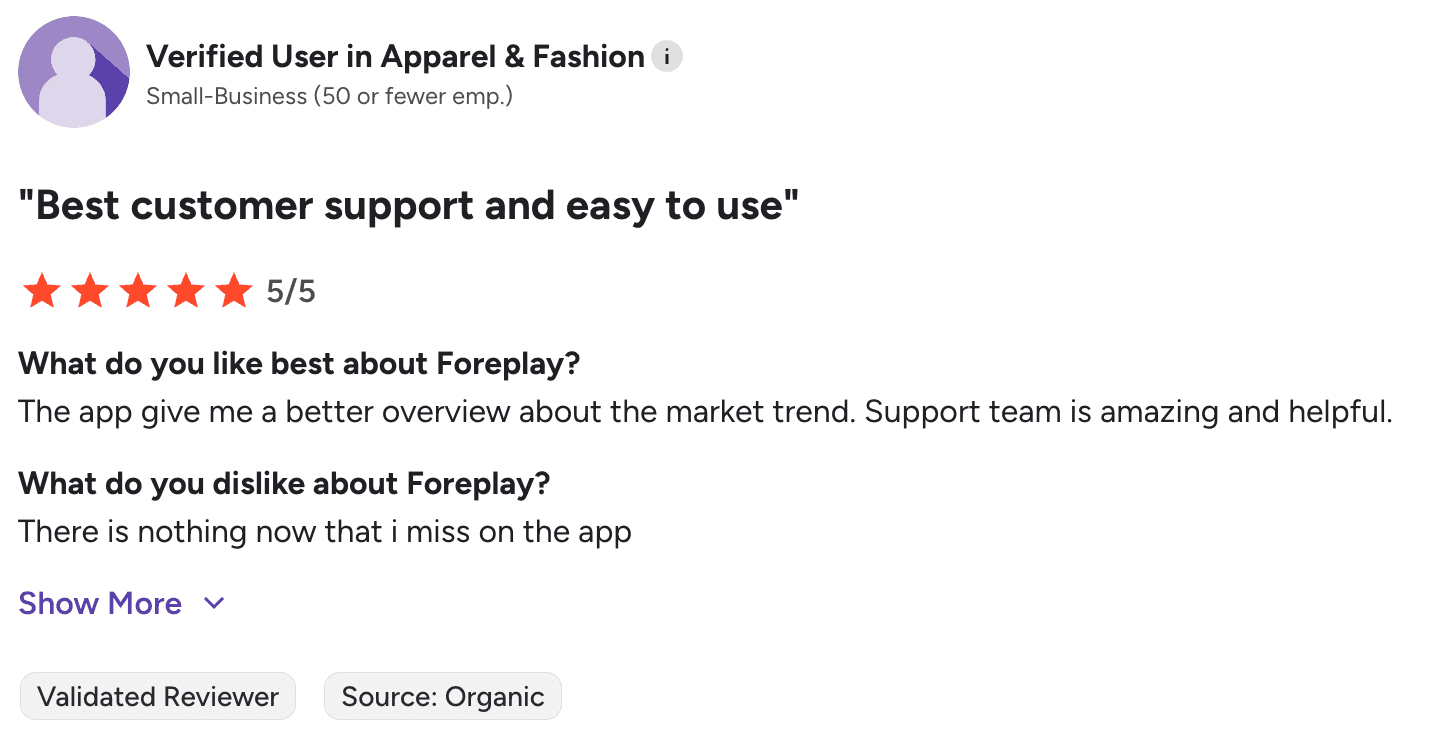
Many reviewers mention that onboarding feels fast with very little learning curve. Teams can start saving ads, building boards, and collaborating almost immediately without heavy setup or training.
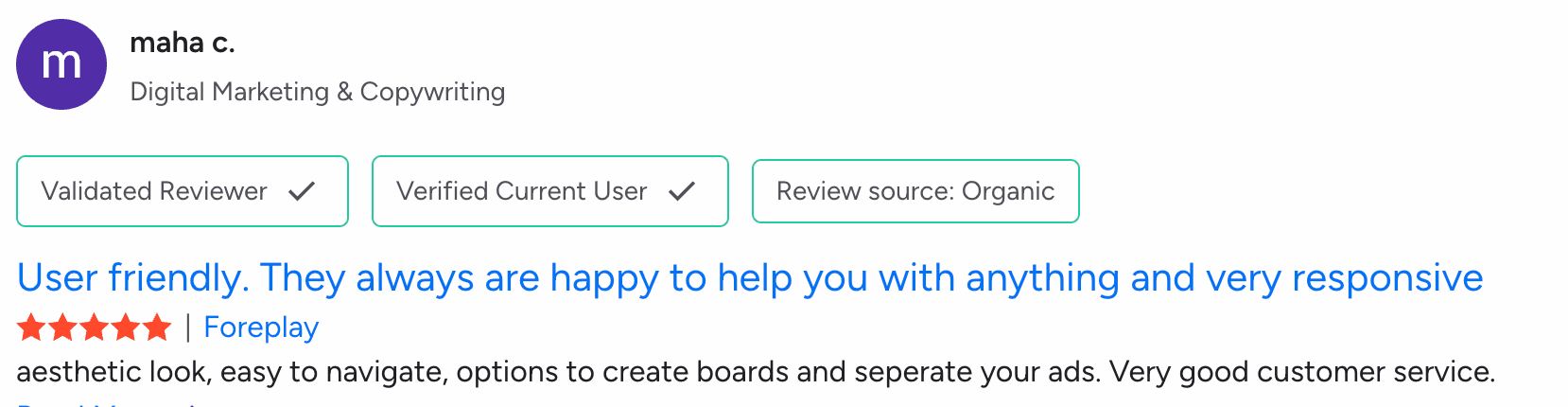
Compared with cluttered ad spy tools packed with filters and analytics, users consistently prefer Foreplay’s cleaner workflow and simpler UX.
2. Swipe File Boards Are the Biggest Strength
Foreplay’s Pinterest-style board system is one of the platform’s most praised features. Users consistently mention how easy it feels to save competitor ads, organize creatives, tag hooks, and build client-specific swipe libraries for campaigns and brainstorming sessions.
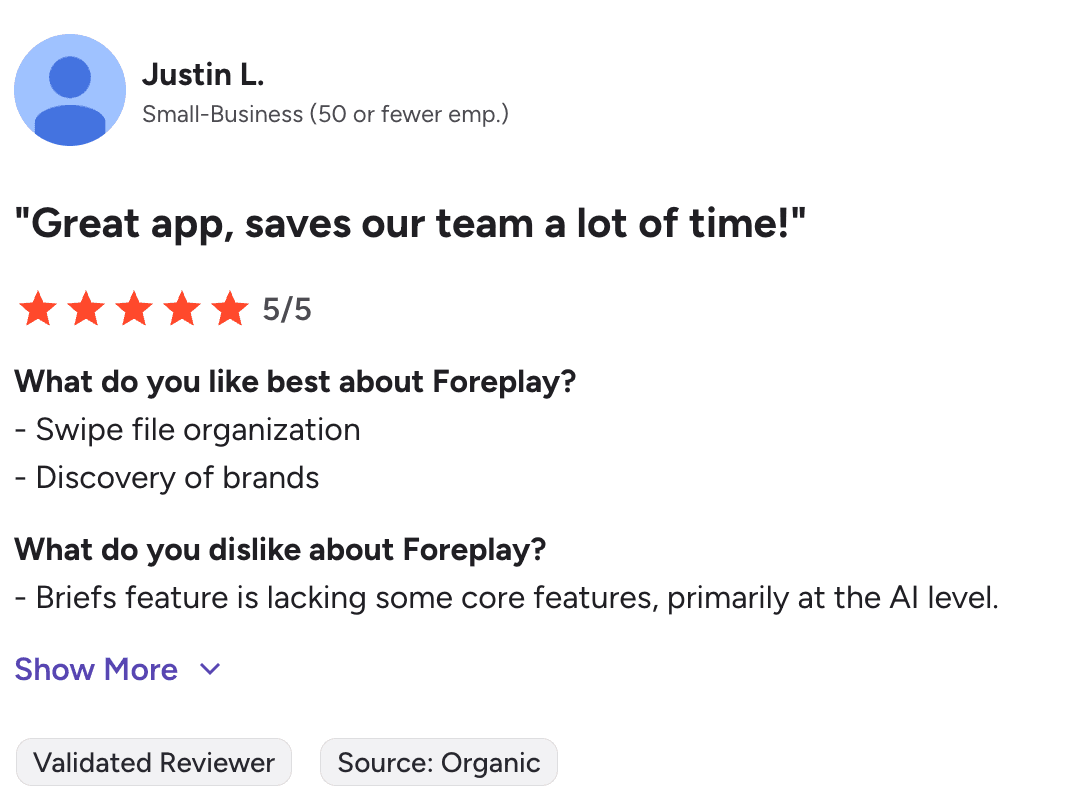
The workflow appears especially useful for agencies, paid social teams, and creative strategists managing large volumes of ad inspiration across multiple brands. Several Reddit discussions also mention teams reviewing saved creatives collaboratively during planning and ideation sessions.
3. Chrome Extension Gets Constant Praise
Foreplay’s Chrome extension appears repeatedly in positive reviews and user discussions. Many marketers describe it as a daily use tool because it makes saving creatives almost effortless across Meta, TikTok, LinkedIn, Instagram, and other platforms.
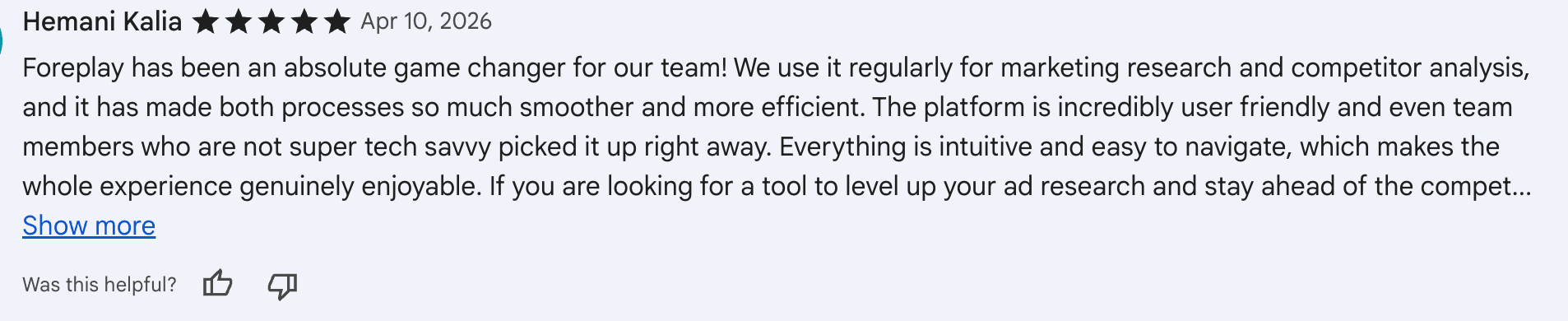
Users especially like the one-click saving workflow, which replaces messy screenshots, bookmarks, and scattered Notion links with organized swipe boards. Several reviewers also describe the extension as a “game changer” for creative research and competitor tracking workflows.
4. Team Collaboration Features Are Excellent
Collaboration is one area where Foreplay receives consistently strong feedback from agencies and creative teams. Users frequently mention how much easier it becomes to save, organize, share, and review creatives across internal teams and client accounts.
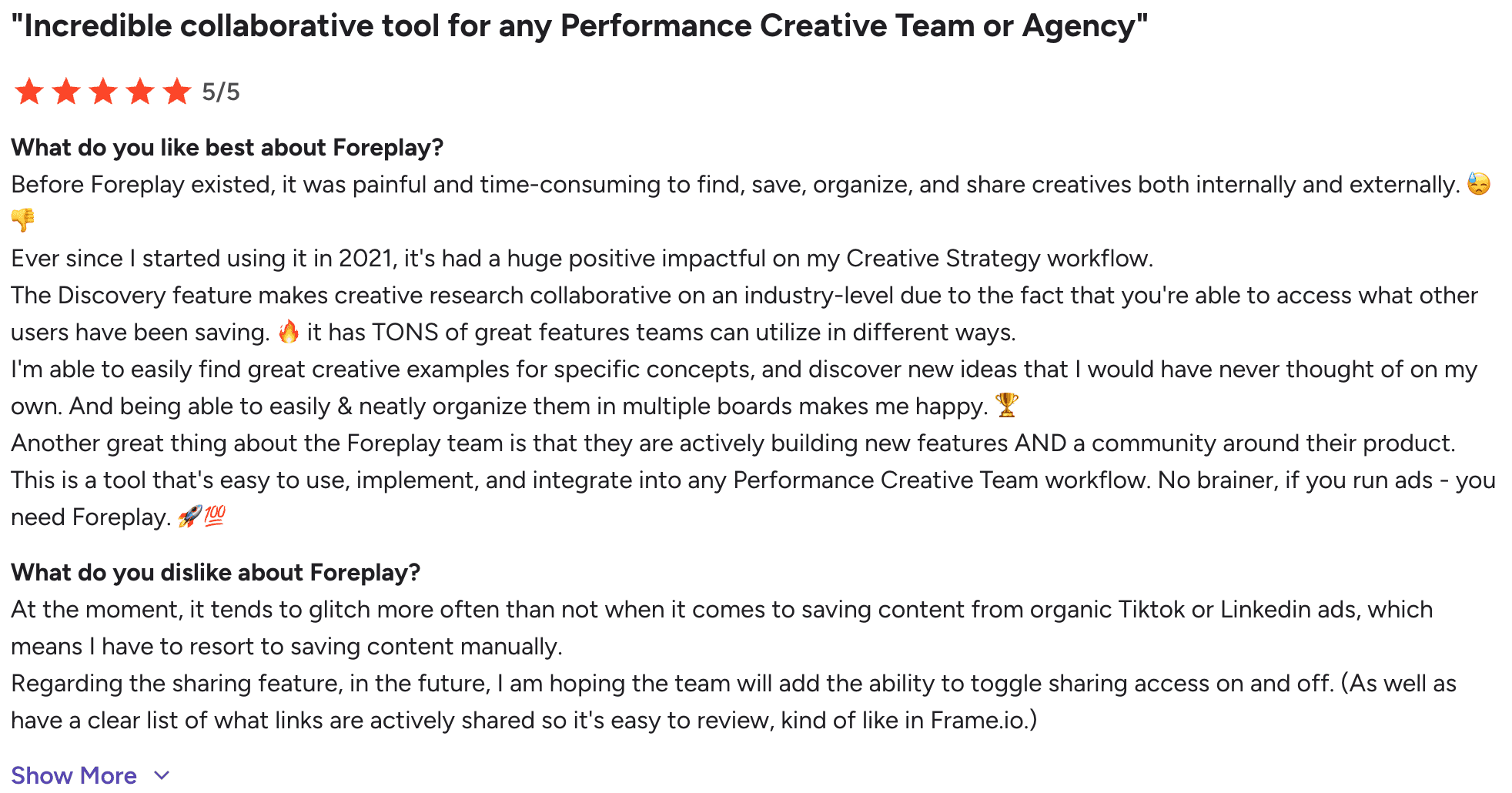
Several users also highlight the discovery and organization experience during brainstorming sessions, especially when multiple team members contribute ideas to the same workspace. Agencies seem to extract the highest value from the platform because Foreplay fits naturally into larger creative workflows involving strategists, media buyers, and UGC teams working together daily.
What Users Complain About
1. Billing Complaints Appear in Negative Reviews
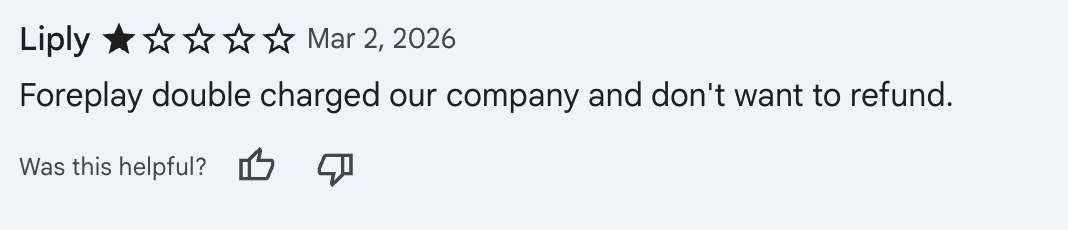
While Foreplay receives strong feedback for usability and collaboration, billing complaints do appear in some negative reviews. A few users report issues involving double charges, refund disputes, and frustration around account credits being offered instead of direct reimbursements.

Support quality also becomes part of those complaints, particularly when users feel their billing concerns were not resolved quickly or transparently. These reviews are not the dominant sentiment surrounding the platform, though they appear enough across multiple review platforms to stand out as a recurring criticism prospective buyers should be aware of.
2. Spyder Add-On Reliability Concerns
Negative reviews for Foreplay remain fairly limited across major review platforms, though we did find one detailed complaint tied to the Spyder add-on service. The reviewer reported problems accessing several tracked brands despite paying for the additional monitoring feature and expressed frustration with support communication during the issue.
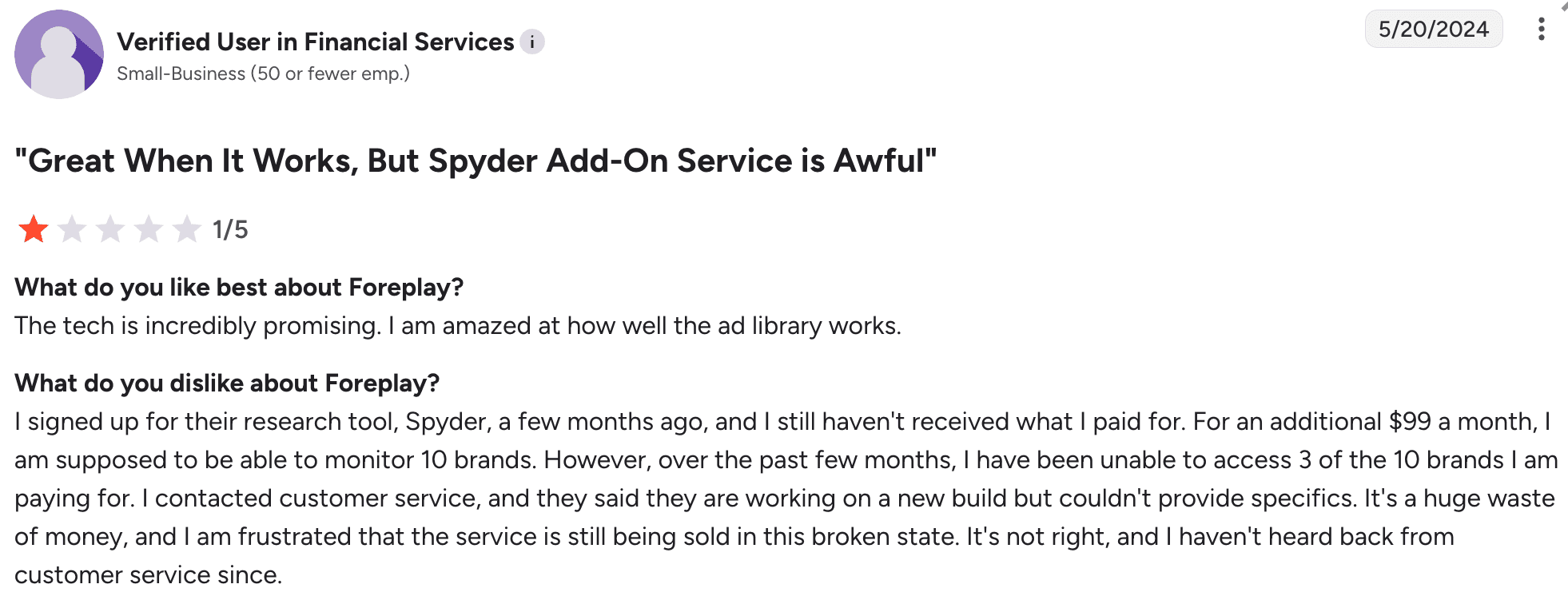
Based on the review itself, the concern appeared tied specifically to the Spyder monitoring feature and not the broader swipe file or creative workflow tools that Foreplay is primarily known for.
3. Occasional Bugs and Feature Stability Issues
A small number of negative reviews mention bugs, broken filters, keyword search problems, and inconsistent functionality across certain features. A few users also reported issues involving Instagram saves, Meta Ad Library syncing, and analytics accuracy during their testing experience.
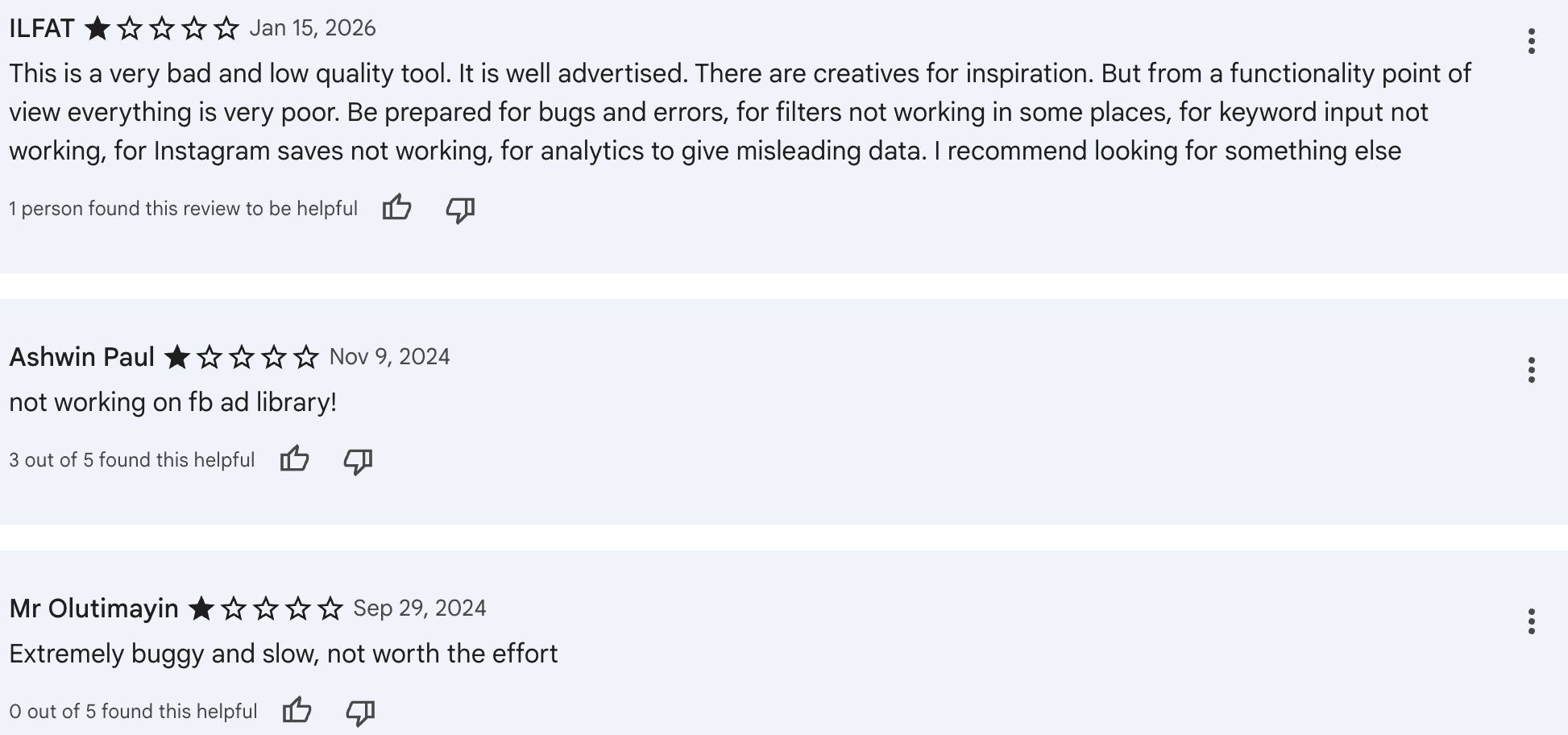
These complaints are not the dominant sentiment around Foreplay, though they do appear in lower-rated reviews from users expecting smoother reliability across every feature.
Features Breakdown: What You Actually Get
1. Swipe File Boards
The first thing you notice with Swipe File boards is how quickly messy research starts feeling organized. Ads saved from Meta, TikTok, LinkedIn, and other platforms immediately become part of a structured creative library instead of disappearing into screenshots, bookmarks, or random folders.
During testing, boards worked best when separating campaigns by hooks, offers, creators, competitors, or client accounts. Tagging creatives also made idea retrieval much faster during planning sessions, especially once the library started growing.
For agencies and paid social teams, that organization becomes more valuable than raw ad volume. The system is designed less for endless scrolling and more for turning inspiration into something your team can actually revisit and use later.
2. Chrome Extension
Creative research usually falls apart the moment ideas start piling up across screenshots, saved tabs, Slack messages, and random bookmarks. Foreplay’s Chrome extension fixes that problem with a much cleaner workflow.
While scrolling through Meta, TikTok, LinkedIn, Instagram, or YouTube, you can drop ads directly into organized boards without interrupting your research flow.
What stood out most during testing was how naturally the extension fit into day-to-day browsing. Ads, landing pages, copy, and creatives stay connected automatically, which makes idea collection feel structured from the beginning instead of becoming another messy archive later.
That simplicity is a big reason many users treat the extension as one of Foreplay’s strongest features.
3. Discovery Feed

The Discovery feed feels closest to the classic “ad inspiration rabbit hole” experience. You scroll through active creatives, spot recurring hooks, compare how different brands frame similar offers, and quickly notice patterns starting to repeat across categories.
What makes the feed useful is the creative context surrounding the ads. Instead of only collecting random examples, you start seeing how angles evolve between brands, creators, and formats. A single product pitch can appear through multiple hooks, tones, and visual styles within minutes of browsing.
The feature works best as an inspiration engine for creative strategy. It is far less focused on validating products, estimating revenue, or analyzing e-commerce performance data.
4. Spyder
Spyder pushes Foreplay further into competitor tracking and creative monitoring. The feature focuses on following advertiser activity, discovering new creatives, tracking landing pages, analyzing hooks, and reviewing how brands rotate campaigns across Meta.
During testing, the workflow felt more structured for creative analysis than traditional ad browsing. Historical timelines, landing page tracking, and organized creative monitoring made competitor research easier to manage across multiple brands and campaigns.
We also came across a recent negative review tied specifically to Spyder reliability and support communication involving tracked brand access, though broader criticism around the feature appeared fairly limited in our research.
5. Team Collaboration
Foreplay is designed around shared creative workflows, not isolated research sessions. Boards can be shared across teams, feedback stays attached directly to creatives, and campaign ideas move through comments, approvals, and planning discussions without getting buried in Slack threads or scattered documents.
The collaboration flow becomes especially useful once multiple people start touching the same campaign. Media buyers, strategists, designers, and creators can review references, coordinate concepts, and organize approvals from a single workspace.
That team-oriented workflow appears to be one of Foreplay’s strongest retention factors, particularly for agencies managing ongoing creative production across multiple clients.
Pricing: What It Actually Costs
Plan | Monthly | Annual (per month) | What You Get |
Basic | $59 | $49 | Swipe File, Discovery, Briefs, Spyder, API access |
Workflow | $175 | $149 | Collaboration features, 5 users, expanded Spyder access |
Agency | $459 | $389 | Advanced team scaling, 10 users, larger brand tracking |
Foreplay positions itself firmly in the premium category, especially once additional seats and advanced workflow features enter the picture. The pricing makes more sense for agencies, collaborative teams, and brands running high-volume creative production than solo founders doing occasional ad research.
The platform does offer a 7-day free trial, though requiring credit card details upfront can still feel like friction for users who simply want to explore the workflow before committing.
Pricing also changes periodically, so checking the official pricing page directly is always recommended.
Who Should Use Foreplay?
Foreplay makes the most sense when creative research is already a major part of your workflow. The platform is built around organizing inspiration, collaborating with teams, tracking competitors, and managing creative production across campaigns.
If your day regularly involves reviewing ads, planning hooks, briefing creators, or building swipe libraries, the workflow feels far more useful than a traditional “search and save” ad spy tool.
It’s a good fit if you: | It’s probably not a good fit if you: |
Manage multiple client brands inside an agency | Are a solo beginner working with a tight budget |
Run paid social campaigns with ongoing creative testing | Need Shopify revenue tracking or store intelligence |
Work as a creative strategist or media buyer | Rely heavily on product validation data |
Coordinate UGC creators and creative approvals | Want deep ecommerce analytics and sales estimates |
Need collaborative research and planning systems | Prefer lower-cost ad spy platforms focused on raw ad discovery |
Produce large volumes of ad creatives regularly | Mainly care about finding winning products instead of organizing creative workflows |
What We'd Change?
After testing Foreplay across research, collaboration, and creative planning workflows, a few gaps became noticeable once the platform moved beyond inspiration and into deeper decision-making.
Creative research still feels stronger than e-commerce intelligence: Foreplay does a good job helping teams organize and analyze creatives, though Shopify tracking, store-level insights, and product validation remain fairly limited compared with dedicated e-commerce intelligence tools. The platform is built more around creative operations than revenue analysis.
Pricing becomes harder to justify for smaller operators: The workflow value increases quickly once multiple people collaborate inside the platform. Solo marketers, freelancers, and smaller brands may struggle more with the pricing structure, especially once higher-tier features like advanced analytics enter the picture.
Discovery depth could go further for heavy research workflows: Foreplay surfaces creative inspiration well, but dedicated ad spy platforms still tend to provide broader discovery coverage, deeper filtering, and more aggressive trend monitoring for advertisers focused heavily on competitor research.
AI features feel useful, but not essential yet: AI-powered search, analysis, and briefing tools help speed up workflow tasks, though the platform’s biggest strengths still come from organization, collaboration, and creative management. AI currently feels more supportive than transformative within the overall product experience.
Support: What to Expect
Customer support is one of Foreplay’s strongest reputation points across review platforms. Users frequently praise response speed, communication quality, and the willingness of the support team to actively help resolve issues instead of sending generic replies.
Several reviews also mention helpful walkthroughs, implementation assistance, and direct communication during setup or troubleshooting. Compared with many older ad spy platforms, Foreplay’s support experience appears far more responsive and customer-focused
The Bottom Line
Foreplay scores 8.1/10 in our analysis.
It works best when you treat it as a creative workflow platform first and an ad spy tool second. The platform excels at organizing inspiration, managing swipe files, coordinating creative production, and helping teams collaborate around ad research without turning the process into chaos.
Its strongest features are clearly the Chrome extension, Swipe File boards, collaborative workflows, and overall creative organization system. Agencies, paid social teams, UGC coordinators, and brands producing large volumes of creatives will likely get the most value from the platform.
The biggest limitations appear once research moves deeper into e-commerce intelligence. Shopify tracking, product validation, store analysis, and revenue-focused insights remain fairly limited compared with dedicated ecommerce research tools.
Our recommendation: If your workflow revolves around creative research, team collaboration, swipe file management, and ad organization, Foreplay delivers a polished experience that feels purpose-built for modern creative teams. If you rely heavily on Shopify tracking, product validation, or deeper ecommerce intelligence, you will likely need an additional research platform alongside it.
FAQs
Is Foreplay worth it?
Foreplay delivers the strongest ROI for agencies, paid social teams, and collaborative creative workflows where multiple people are actively researching, organizing, and briefing campaigns together. For solo marketers or smaller operators with limited budgets, the pricing can feel harder to justify unless creative research is a major daily activity.
Is Foreplay an ad spy tool?
Partially, yes. Foreplay includes ad discovery, competitor tracking, and creative research features, though the platform positions itself much more as a creative workflow and swipe file management system than a traditional ad spy database.
Does Foreplay track Shopify stores?
Foreplay offers limited ecommerce intelligence compared with dedicated product research tools. The platform focuses far more on creative organization, competitor monitoring, and workflow management than on Shopify revenue tracking or deep store analytics.
What is the best Foreplay alternative?
That depends on your workflow. Tools like Winning Hunter and Minea fit better for e-commerce intelligence and product validation research. BigSpy works better for broader ad database exploration, while MagicBrief competes more directly on creative workflow and collaboration.
Who gets the most value from Foreplay?
Foreplay works best for agencies, creative strategists, paid social teams, UGC coordinators, and brands managing large creative pipelines. The platform becomes significantly more useful once collaboration, organization, and creative planning are part of the daily workflow.


We already know what works before you even have the chance to blink!
© 2024 WinningHunter.com