trendtrack-review
TrendTrack Review 2026: Features, Pricing & Real Testing
Blink, and you miss it. That is Shopify in 2026.
Products spike overnight. Ad costs rise the moment competitors step in. If you copy a winning store without understanding the data behind it, you often enter at peak saturation and absorb shrinking margins. Guesswork is expensive, and serious sellers know it.
That reality explains the surge in demand for competitive intelligence tools. You need store tracking, ad creative monitoring, revenue estimates, and visibility into themes and apps, all without juggling multiple platforms.
TrendTrack positions itself as that consolidated solution. With a Trustpilot rating of 4.8 and a high volume of five-star reviews, expectations are naturally elevated.
So we tested it ourselves.
Does TrendTrack genuinely offer deeper competitive visibility, or does it simply package familiar insights in a different way? In this review, we break down real user sentiment, feature depth, revenue estimate accuracy, and pricing value.
Quick Verdict
7.9/10 - Strong for Shopify competitor tracking and ad research. Revenue numbers should not be treated as exact, and the pricing is not beginner-friendly. If Shopify intelligence is your focus, it delivers. If you want verified data, it does not.
What we measured
Area | Score |
Ad Spy Features | 8/10 |
Database Accuracy | 7.5/10 |
Update Frequency | 7/10 |
Pricing & Value | 8/10 |
Ease of Use | 8/10 |
Support Quality | 8/10 |
Best for:
Shopify focused dropshippers and brand operators who want structured competitor tracking, ad visibility, and infrastructure insights inside one platform.
Skip if:
You need verified financial precision, heavy TikTok first ad intelligence, or a low-budget entry tool.
What We Did to Test This
Before publishing this review, our WinningHunter team tested TrendTrack in a structured way. Here is exactly what we did:
Used TrendTrack across different niches
Analyzed more than seventy public user reviews from Trustpilot and Reddit discussions
Watched YouTube walkthroughs from e-commerce creators using TrendTrack in live research sessions
Compared store revenue estimates against benchmark stores with publicly verifiable sales signals
Installed and tested the free Chrome extension across Shopify stores
This review reflects direct platform testing combined with public sentiment analysis.
What is TrendTrack?
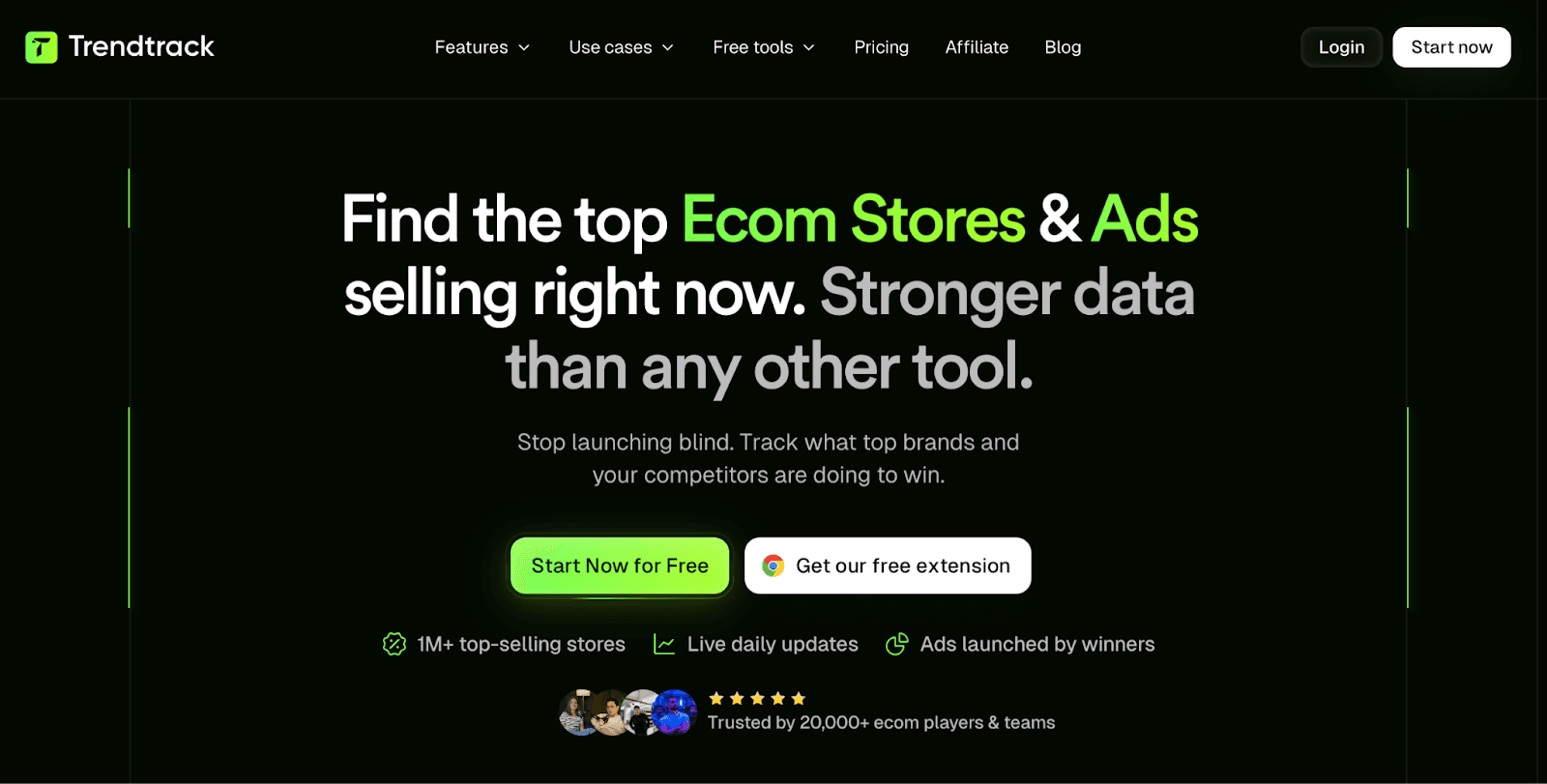
TrendTrack is a Shopify-focused e-commerce intelligence tool built for dropshippers and brand owners who want visibility into what other stores are doing. It helps you examine trending shops, active ads, installed themes and apps, and product-level performance from a single dashboard.
When we tested the platform, the main idea became clear. TrendTrack aims to show you which Shopify stores are growing and what ads they are currently running. TrendTrack combines multiple research layers:
Trending shop discovery
Ad creative tracking
Theme and app detection
Keyword research
Chrome extension store analysis
It sits between classic store spy tools and dedicated ad tracking software.
What Real Users Say
What Users Love
1. Accurate Data and All-in-One Workflow
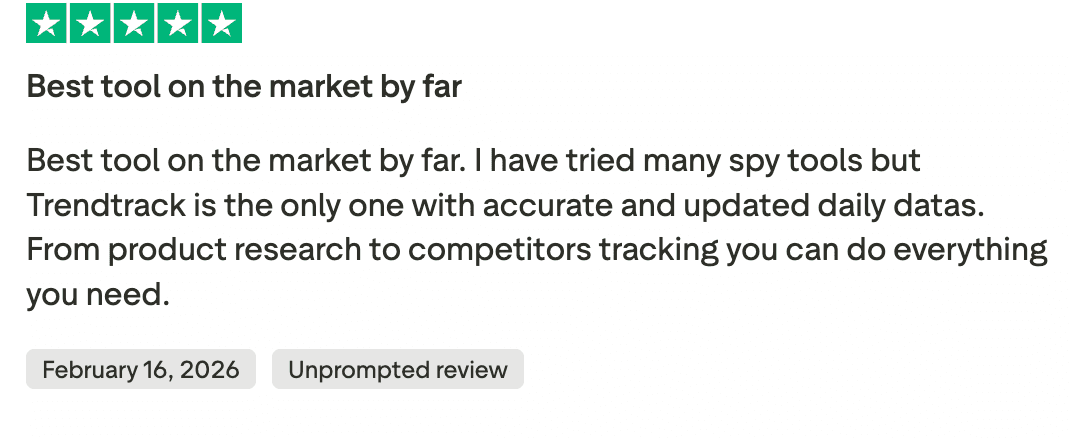
A strong pattern in public reviews is confidence in the data quality. One verified reviewer described TrendTrack as the best tool on the market and emphasized that, after trying multiple spy platforms, this was the only one delivering accurate and frequently updated data. Daily refresh rates and consistency appear to build trust among active users.
YouTube creators demonstrate a similar process in live sessions and videos. They typically:
Identify a trending Shopify store
Isolate its top-selling product
Cross-check active ads
Review themes and installed apps
It is also stated that this setup replaces two or three separate subscriptions, particularly for sellers who previously relied on one tool for ads and another for store analysis.
2. Support That Actually Solves Things
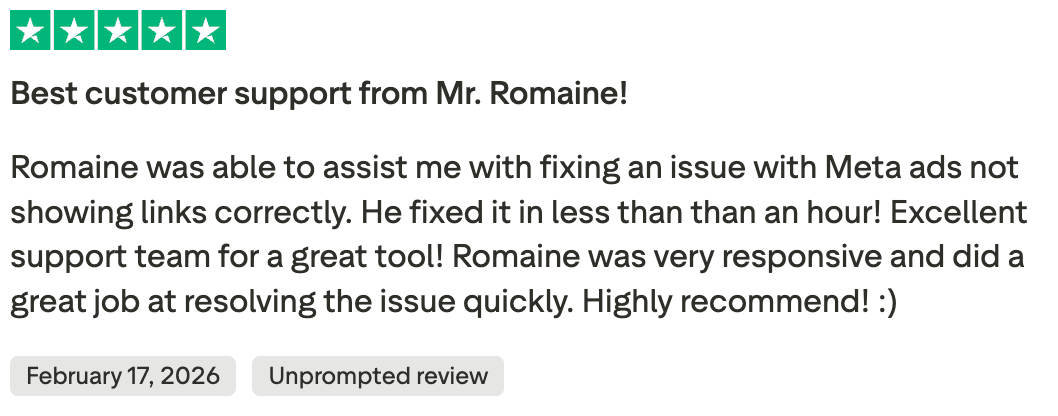
One review stood out because it was specific. The user had an issue with Meta ads links not displaying correctly. According to the review, Romaine stepped in and fixed the problem in under an hour. The tone was not vague praise. It was relief. The reviewer pointed out how responsive he was and how quickly the issue was handled.
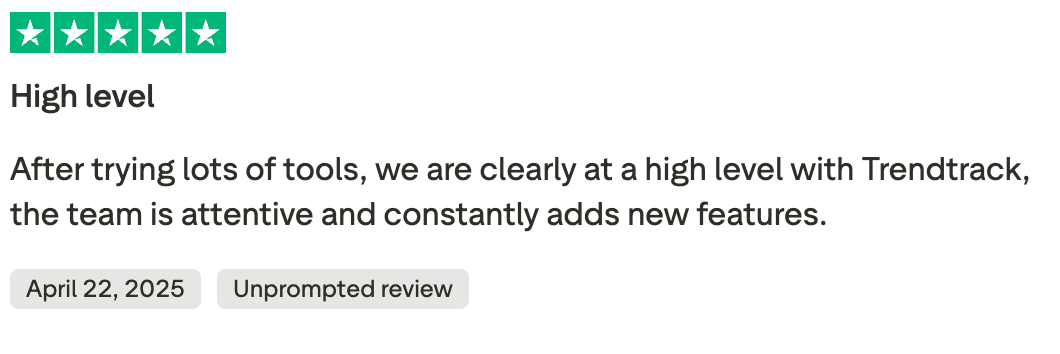
In another review, a user mentioned that after trying many tools, TrendTrack stands at a higher level. They pointed out that the team stays attentive and continues to release new features. The emphasis there is not just on fixing issues, but on steady improvement.
3. Forum Users Call It an Underrated Find
In a recent discussion thread, one seller described TrendTrack as the only dropshipping tool they plan to keep after testing several others. They mentioned trying platforms like Minea and similar research tools before landing on TrendTrack, which they felt more people should be talking about.
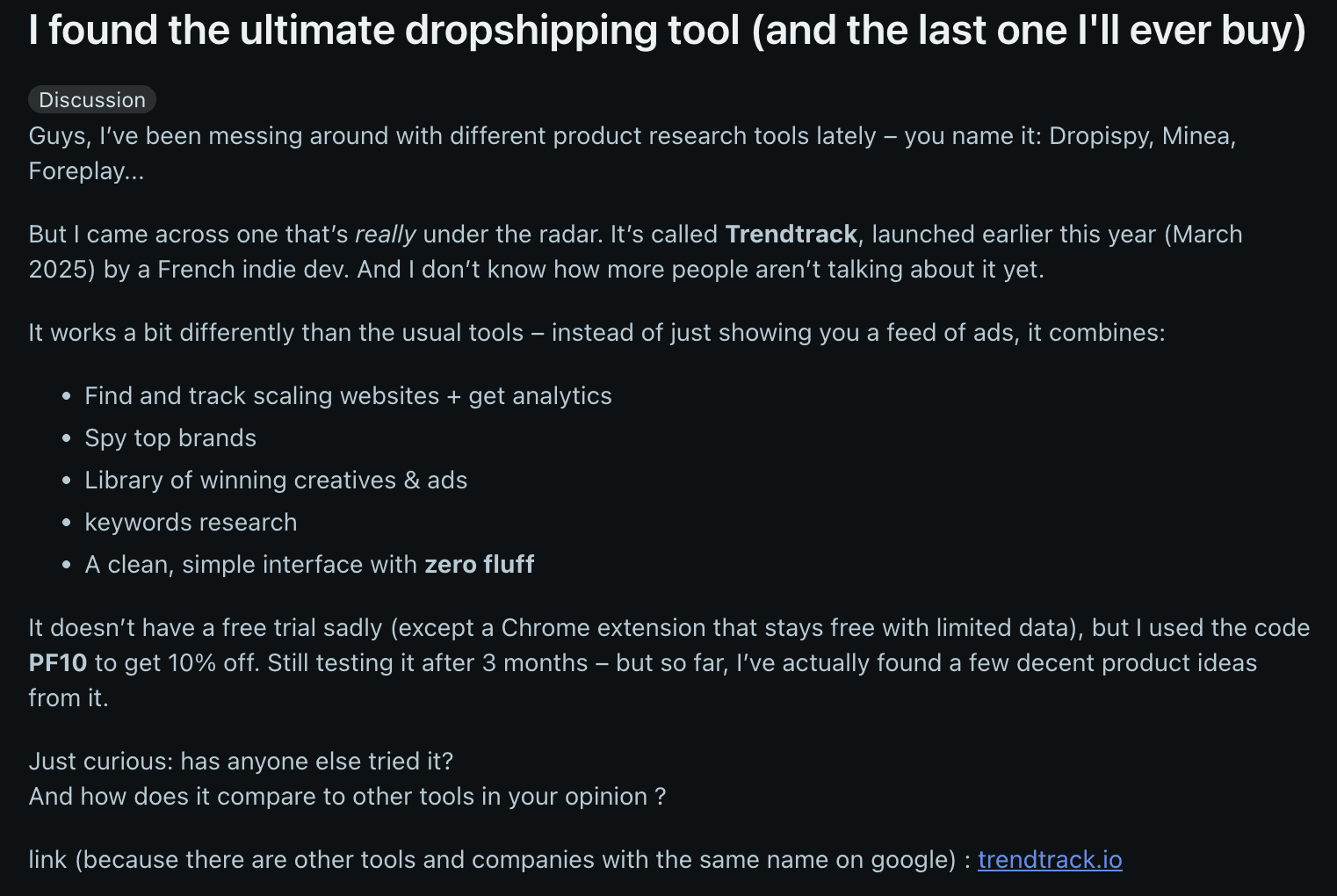
What caught their attention was how the tool combines several research steps in one place. Instead of scrolling through ad feeds alone, they were able to track scaling stores, review analytics, check top brands, browse active creatives, and run keyword searches. The Chrome extension also came up as part of their workflow. The interface was described as clean and easy to navigate.
After a few months of use, they reported finding solid product ideas through the platform.
What Users Complain About
1. No Traditional Free Trial
One YouTube comment raises a clear concern about pricing and access. The viewer states that for people who want to start in e-commerce, the tool feels too expensive and suggests offering a short three-day free trial before charging.

At present, TrendTrack does not provide a traditional free trial for the full platform. The Chrome extension is free but offers limited visibility, but complete access to the store database and research features requires a paid subscription. The entry plan costs around 59$ per month, which is a commitment for beginners who have not tested the system in depth.
2. Limited Presence on SaaS Review Marketplaces
TrendTrack currently has minimal visibility on platforms such as G2, Capterra and similar SaaS review directories. When we searched for independent marketplace feedback, the footprint was noticeably light compared to more established e-commerce tools.
This means most public validation sits on Trustpilot rather than being distributed across multiple third-party review ecosystems. That is not automatically a red flag. Many newer tools build traction on one platform first.
However, experienced buyers often look for consistency across several review channels before subscribing. Broader presence on SaaS marketplaces usually adds another layer of credibility, especially for agencies or teams evaluating tools at scale.
Features Breakdown: What You Actually Get
1. Chrome Extension
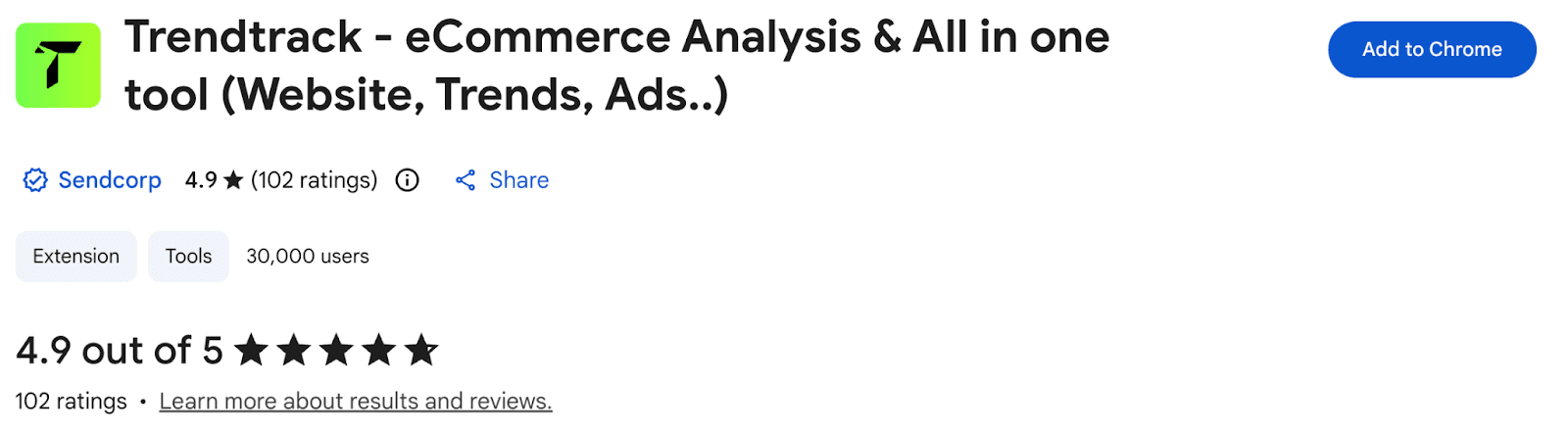
TrendTrack also provides a Chrome extension that works directly on live Shopify stores. We installed it and tested it across different niches to see how much insight it provides without logging into the main dashboard.
When active on a store, the extension displays quick data points such as estimated revenue range, traffic signals, installed apps, and theme details. It allows you to review competitor infrastructure while browsing, which speeds up early-stage validation. You don’t have to copy store URLs into the platform, as you can analyze them in real time.
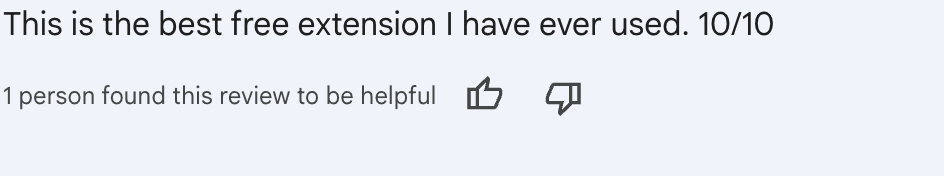
The extension currently holds a 4.9/5 rating on the Chrome Web Store with over 100 reviews, which reflects strong user satisfaction overall. Many users describe it as one of the more useful free e-commerce browser tools available. Whereas a person described it as useless, but the negative-to-positive ratio is low.
2. Ads and Creative
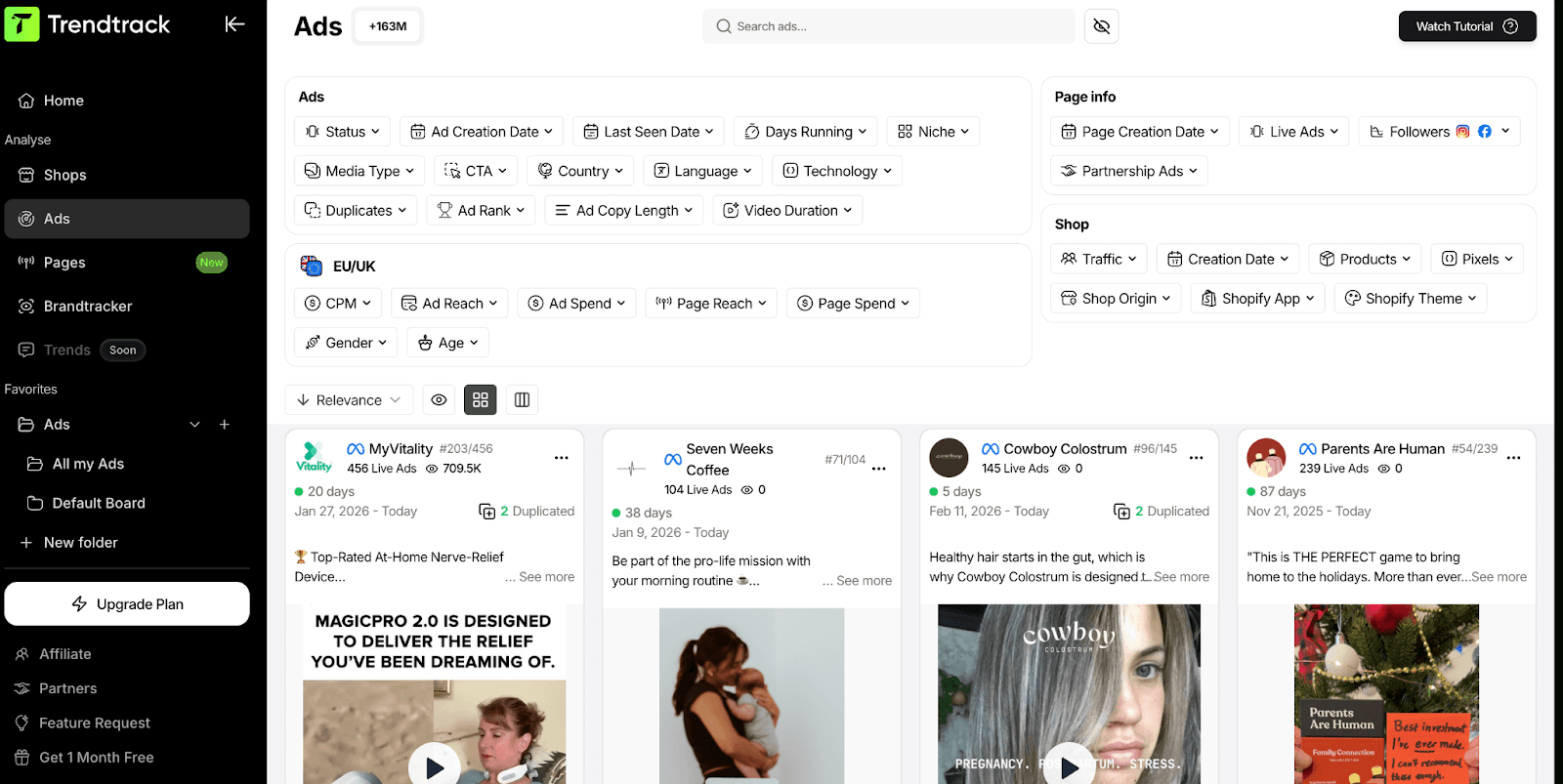
This section is structured more like a searchable database than a swipe gallery. When we tested it, the first thing that stood out was the filtering depth. You can narrow ads by status, creation date, last seen date, days running, niche, country, language, media type, CTA, technology, video duration, and even ad copy length.
That level of filtering changes how you research. Instead of scrolling through random creatives, you can isolate ads that have been running for a specific number of days or focus on a particular region, such as the EU or the UK. We found the days running filter especially useful for separating quick tests from ads that appear to receive sustained spend.
Each ad card shows the brand, number of live ads, engagement indicators, and duplication flags. You can trace ads back to the store and review related shop data without switching sections.
This feature works best when you already have a niche or store in mind and want to analyze how competitors structure their campaigns.
3. Shop Analytics
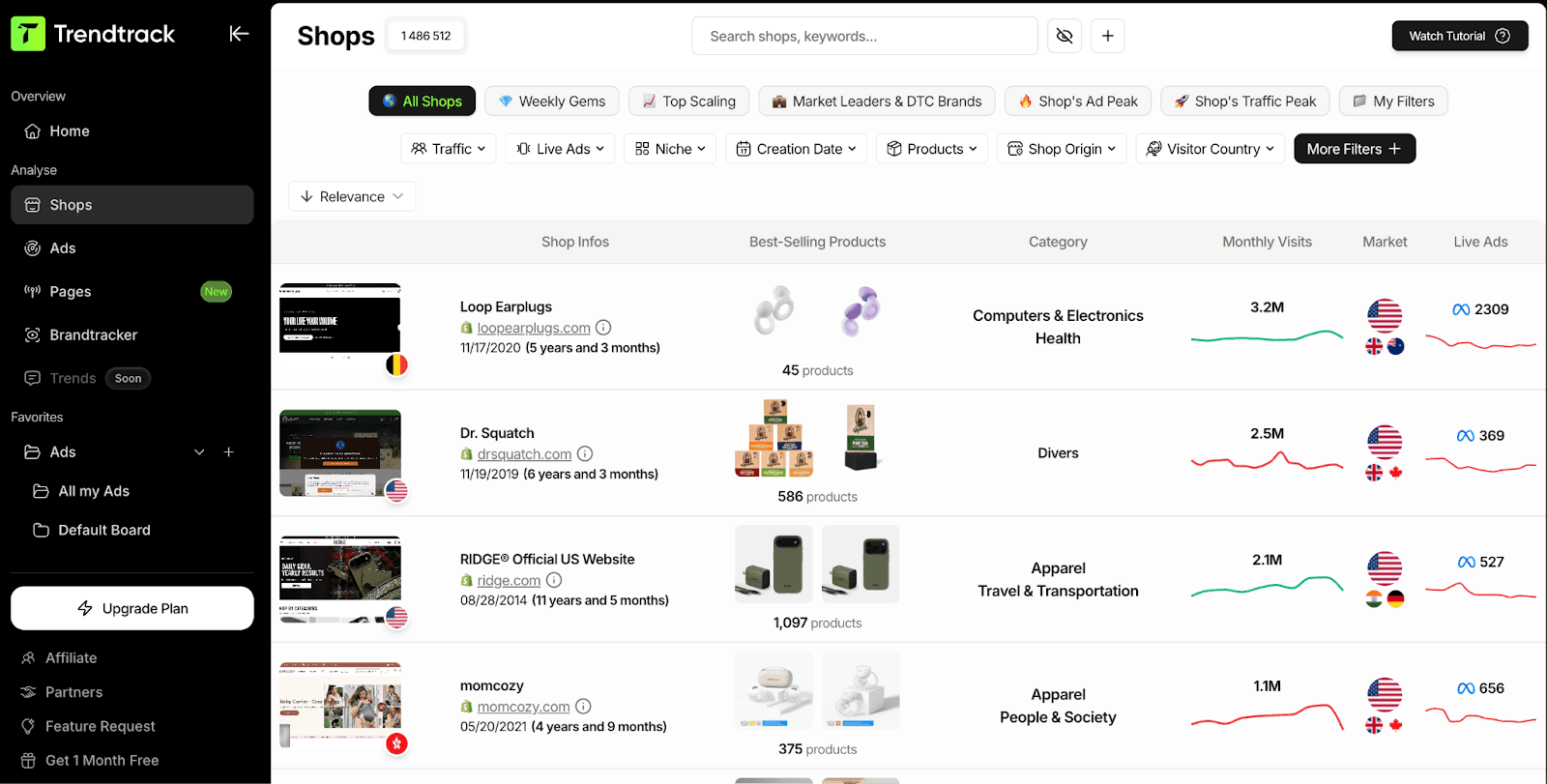
This section focuses on store-level performance signals. When we opened a store profile, we could see estimated revenue figures, traffic trends, product counts, and activity indicators in one place.
The revenue numbers are just estimates and not verified financial data. That is important. We compared several stores against publicly visible signals such as product reviews and ad volume to gauge how realistic the projections felt. In some cases, the ranges appeared directionally accurate. In others, the numbers should be treated as reference points rather than exact figures.
Traffic trends were more useful than the revenue estimates. Sudden spikes or steady growth patterns gave context to ad activity we had already reviewed.
4. Find the Scaling Websites
This feature is built to surface Shopify stores that are increasing activity, not just existing in the database. While testing it, the dashboard highlighted stores showing growth signals tied to ad volume and recent changes, rather than random high-traffic sites.
You can filter results based on ad count, growth patterns, and store activity. That matters because not every active store is actually scaling. We narrowed results to stores with rising ad numbers over a defined period and immediately saw more relevant candidates.
Each store profile gives you a quick snapshot of performance indicators, current ads, and product focus. Instead of jumping between tools to validate whether a store is gaining traction, you can assess that inside the same interface.
The feature works best as a starting point. It helps you identify which stores deserve deeper product and creative analysis.
Pricing: What It Actually Costs
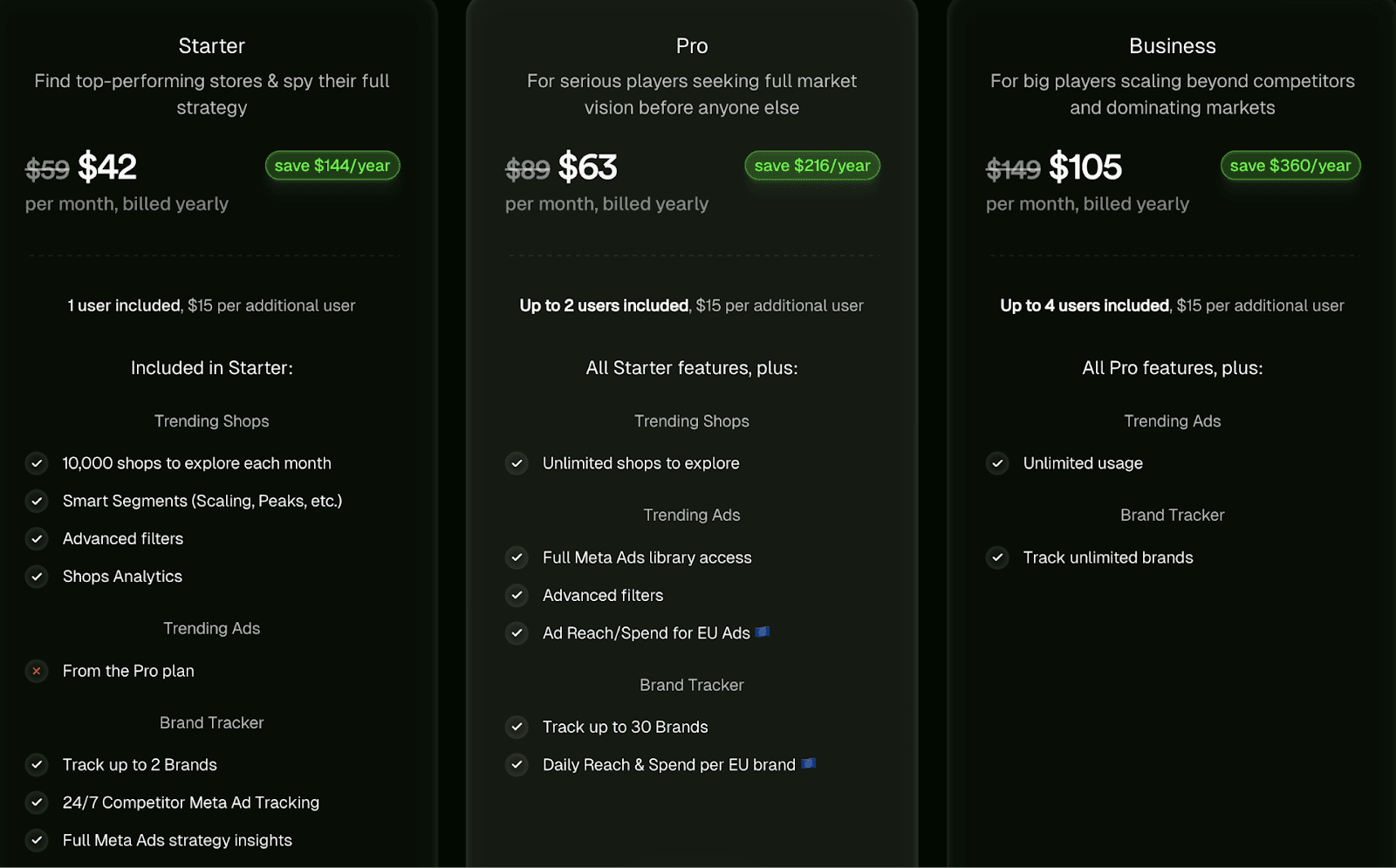
TrendTrack offers three paid plans: Starter, Pro, and Business. As shown in the pricing image above, plans that are billed annually have lower effective monthly rates compared to month-to-month billing.
Starter gives you access to trending shops, smart segments, advanced filters, and shop analytics, but limits how many stores you can explore. It is functional, though the intelligence depth increases only at higher tiers.
Pro removes shop limits and unlocks full Meta ads library access, extended filtering, and broader brand tracking. During testing, here the platform felt unrestricted. Most serious research workflows require this level.
Business expands usage further with multi-user access, unlimited brand tracking, and higher operational limits for teams.
From user feedback, the Pro tier is often viewed as the most balanced option. Beginners sometimes hesitate due to the lack of a traditional free trial, while mid-level sellers argue that it can replace multiple tools.
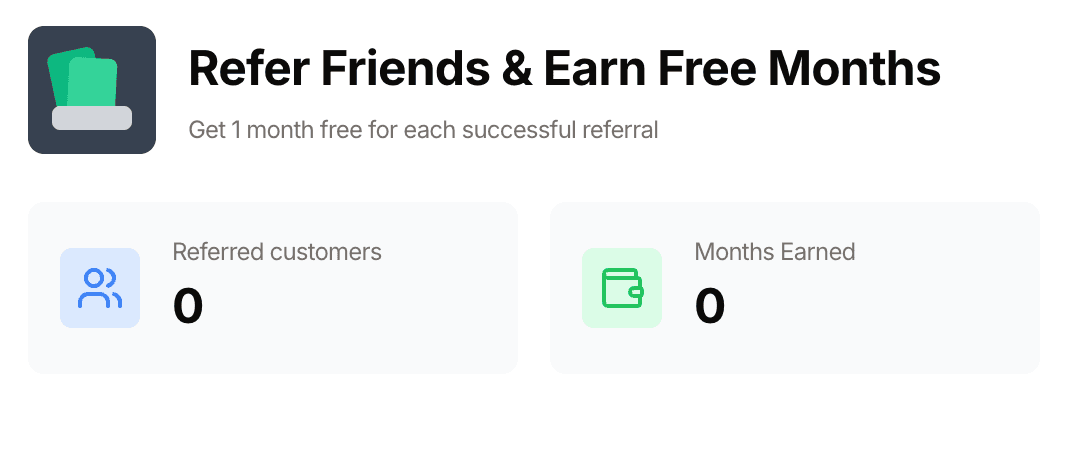
TrendTrack also includes a referral program that grants one free month per successful referral, which can reduce long-term costs if you actively share it.
Who Should Use TrendTrack?
After testing the platform across multiple workflows, it becomes clear that TrendTrack serves a specific type of user well.
It is built around Shopify store visibility and competitor tracking. If your research revolves around understanding what other Shopify brands are doing, it aligns closely with that need. If you are looking for cross-marketplace coverage or verified financial reporting, it may not match those expectations.
Here is a clearer breakdown:
Good Fit If You | Not Ideal If You |
Run Shopify-based dropshipping or brand stores | Need exact, verified revenue numbers |
Want to reverse engineer competitor stores and ads | Focus primarily on TikTok first research |
Prefer a clean interface without excessive dashboard complexity | Operate on a strict sub fifty dollar per month budget |
Need visibility into Shopify themes and installed apps | Require multi-platform marketplace coverage beyond Shopify |
Want to consolidate store and ad research into one platform | Expect full free trial access before committing |
What We'd Change
After spending plenty of time using the platform, a few improvement areas became clear.
If we were advising the product team, these are the changes we would suggest:
Introduce a limited 7-day full-access trial to reduce hesitation for beginners who want to test the database depth before subscribing
Add clearer explanations around how revenue and traffic estimates are calculated so users understand how to interpret the numbers
Build a stronger presence on independent SaaS review platforms beyond Trustpilot to broaden third-party validation
Clarify how frequently store data and ad data are refreshed to set realistic expectations about update cycles
These adjustments would not change the functionality. They would simply make the buying decision easier and strengthen credibility with more cautious users.
Support: What to Expect
Support is accessible directly from the dashboard through a live chat widget. When we tested it, the first responses were generated by an automated assistant. The replies asked for clarification about the issue and suggested sharing screenshots, which is consistent with a triage-style system.
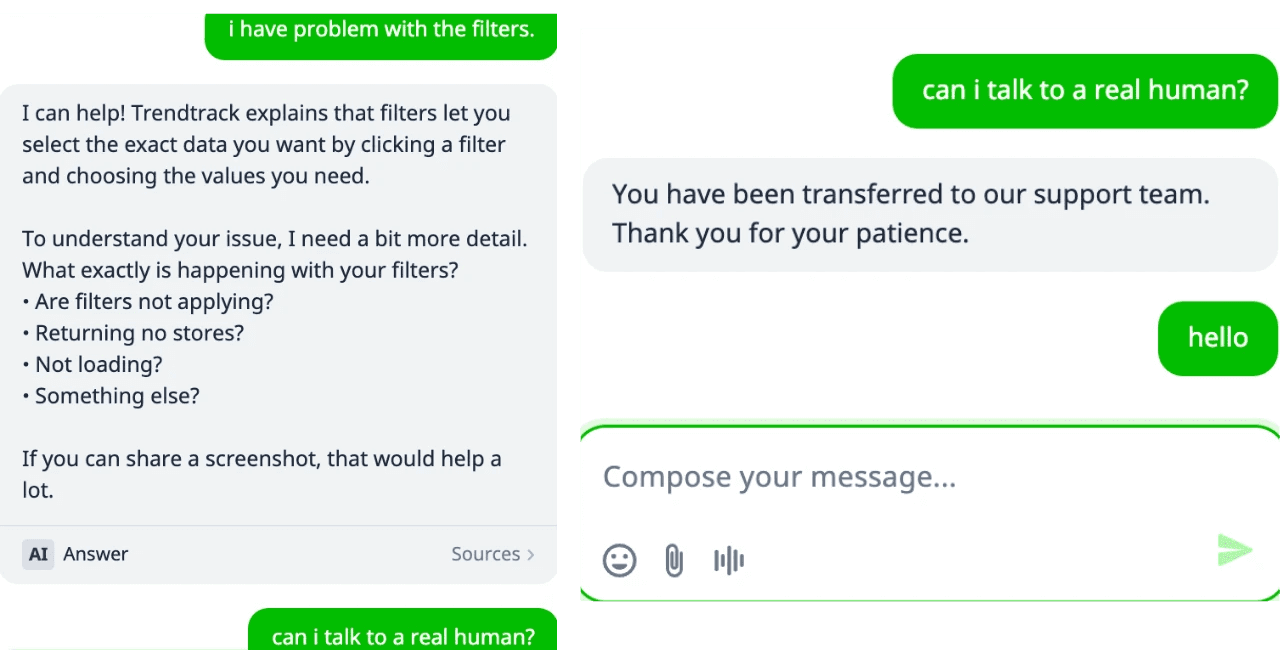
After asking to speak with a real person, the conversation was transferred to the support team. The handoff was clear, and we received confirmation that the request had been escalated. Although the responses slowed down after this.
This shows that the chat system uses AI for initial sorting but does not block access to human support when requested.
Public feedback generally describes support as responsive and helpful. During our testing, the process felt structured rather than confusing. You start with automated guidance, and if needed, you can move to a human representative without friction.
Contact details are also visible outside the chat. An official support email is listed, and the company maintains active profiles across major social platforms. Based on both interaction and review analysis, support appears organized, reachable, and functional without recurring warning signs.
Just note that responses were delayed during human interaction as compared to AI.
The Bottom Line
Trendtrack scored 7.9/10 in our analysis.
TrendTrack is not trying to be everything. It focuses on Shopify store intelligence, and whether it works for you depends on how central that is to your workflow. The platform gives you a structured way to monitor stores, ads, and technical setup without spreading your research across multiple tools.
The limitations are clear as well. Revenue numbers are modeled estimates and not verified financial data. The pricing is not affordable for entry-level users, especially without a short trial to explore the full database. And while Trustpilot feedback is strong, there is no broader third-party validation available.
Our Recommendation: If you run a Shopify store and want structured competitor tracking in one place, it makes sense. If your workflow revolves heavily around TikTok first scaling or requires confirmed financial precision, a more specialized tool may fit better.
FAQs
Is TrendTrack worth it?
If your work revolves around Shopify competitor research, it can justify the cost, especially if it replaces two or three separate tools. If you are just starting out and watching expenses closely, the monthly pricing may feel heavy without steady store revenue.
Is TrendTrack legit?
Yes. It has a strong Trustpilot rating and consistent public feedback from users. We also tested the platform directly and found no signs of it being misleading or non-functional. The company details and support channels are publicly visible.
Does TrendTrack offer a free trial?
There is no full access trial at the time of writing, but they offer an interactive free demo. You can also use the free Chrome extension for limited insights, but access to the full database and advanced filters requires a paid plan.
Is TrendTrack better than Winning Hunter?
It depends on what you prioritize. TrendTrack focuses more on store-level intelligence and infrastructure visibility. Winning Hunter places more weight on ad discovery and creative tracking. The better choice depends on your research style.
Can beginners use TrendTrack?
Yes. The interface is straightforward and does not require technical experience. The bigger consideration is pricing. If you are early in your journey without consistent revenue, you may want to plan your budget carefully before subscribing.


We already know what works before you even have the chance to blink!
© 2024 WinningHunter.com